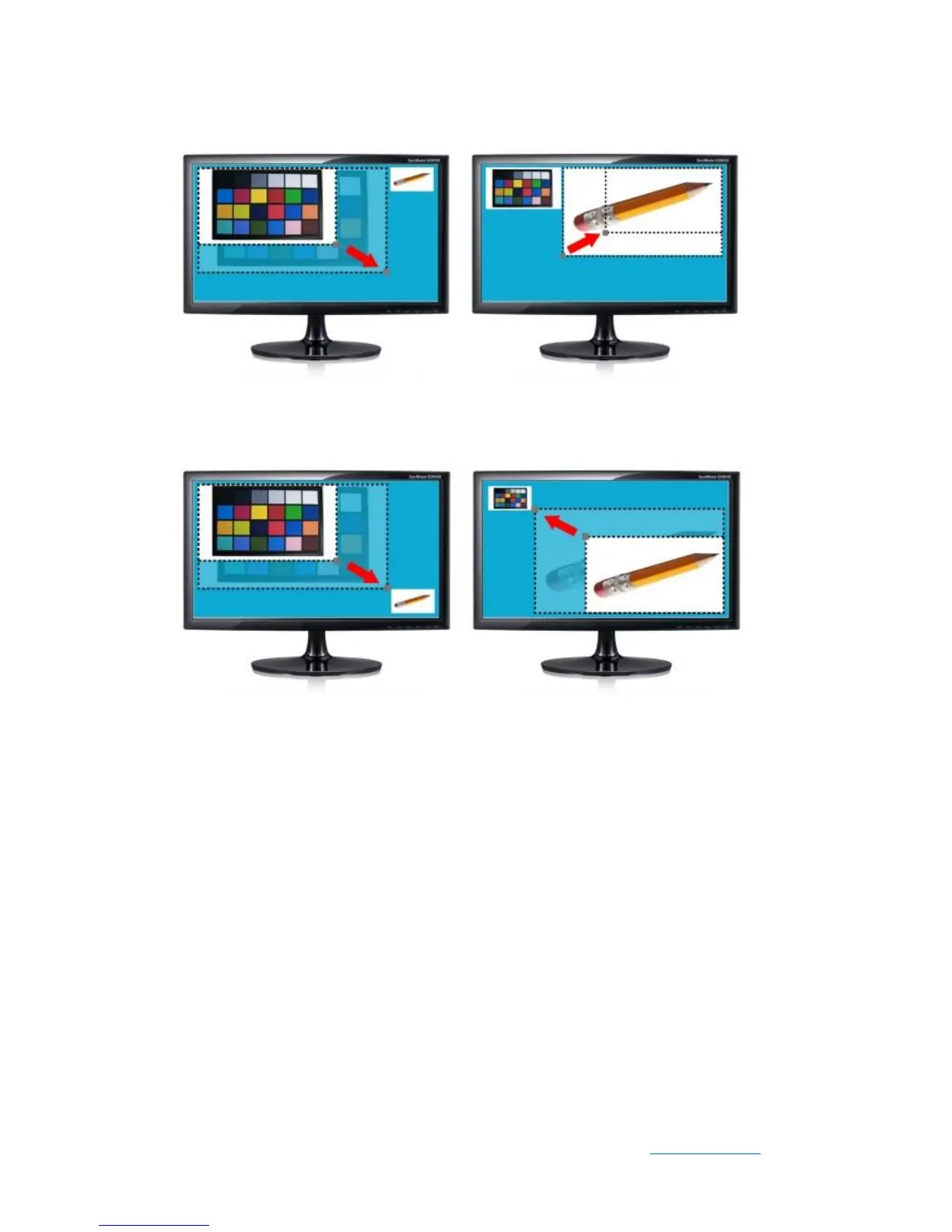
Figure 5-7 Scale video size of camera0 or camera1 on left/right position
Figure 5-8 Scale video size of camera0 or camera1 in the upper left or lower right
position
⚫ Press KEY3 to trigger Stop/Run camera0 (SW0 in low position) or camera1 (SW0
in high position) function.
⚫ Note : Put SW0 to high position to configure camera1, put SW0 to low position to
configure camera0.
Table 5-3 summarizes the functional keys.


 To Next Page