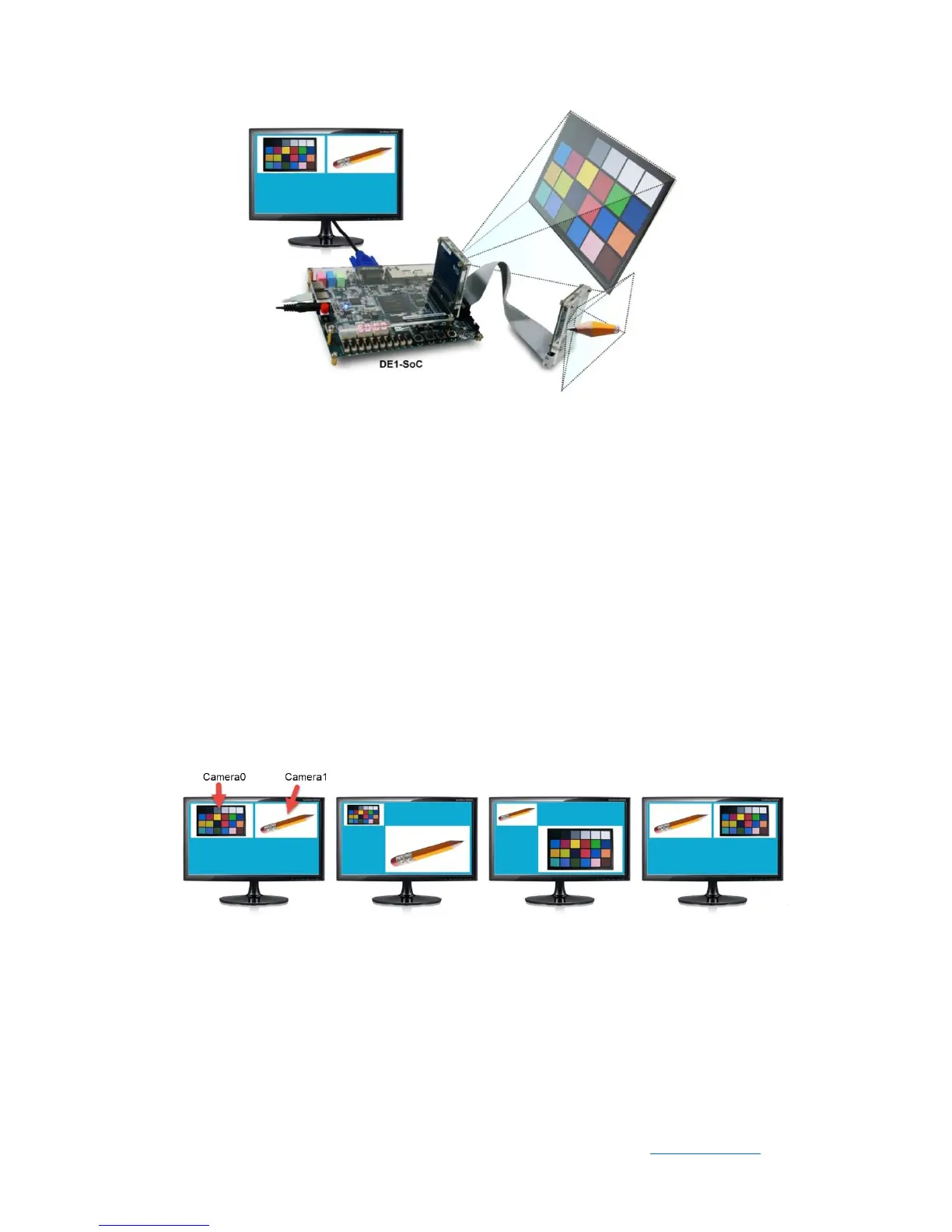
Figure 5-5 Function block diagram of DE1_SOC_D8MX2_VIP demonstration
⚫ Power on the DE1-SOC board.
⚫ Execute the demo batch file “test.bat” under the batch file folder
DE1_SOC_D8M_VIP\demo_batch.
⚫ The VGA Monitor will start showing the video captured from the camera.
⚫ Put SW1 to low position(Camera Function)
⚫ Press KEY0 to trigger autofocus function.
⚫ Press KEY1/2 to trigger manual focus adjustment.
⚫ Press KEY3 to trigger ZOOM function.
⚫ Note SW0 high to configure camera 1,SW0 low to configure camera 0
⚫ Put SW1 to high position (Mixer Function).
⚫ Press KEY0 to trigger display mode change as shown in Figure 5-6.
Figure 5-6 Four display modes in Mixer function.
⚫ Press KEY1/2 to scale camera video to left/right position (See Figure 5-7) or
upper left / lower right position (See Figure 5-8).


 To Next Page