Terasic auto-focus IP through its own I2C master controller. Users must make sure
there is only one I2C master used at a time.
◼ The default camera settings
In this demonstration, the default camera settings are:
⚫ Resolution: 1920x1080
⚫ Frame Rate: 15 fps
⚫ Pixel Data: RAW10
⚫ Bin Mode: 1, 2, 4 (achieved ZOOM-IN/ ZOOM-OUT function)
Users can change the settings base on their requirements.
◼ Design Tools
⚫ Quartus II v15.0
⚫ Nios II Eclipse 15.0
◼ Demonstration Source Code
⚫ Quartus project directory: C5G_D8M_VIP
⚫ Nios II Eclipse project workspace: C5G_D8M_VIP\software
◼ Demonstration Batch File
⚫ Demo batch file folder: demonstrations\DE1_SOC_D8M_VIP\demo_batch
◼ Demonstration Setup
⚫ Switch the Dip Switch S1/S2 which is located on the back of the board to the
"OFF" position.
⚫ Connect a USB cable between the host PC and the USB connector (J10) on the
C5G board (See Figure 5-10).
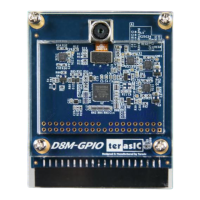
⚫ Connect D8M module in GPIO0(JP9) on C5G board.
⚫ Connect the VGA output of the C5G board to a HDMI monitor.
⚫ Power on the C5G board.
⚫ Execute the demo batch file “test.bat” under the batch file folder
C5G_D8M_VIP\demo_batch.
⚫ The HDMI monitor will start showing the video captured from the camera.
⚫ Press KEY0 to trigger autofocus function.
⚫ Press KEY1/2 to trigger manual focus adjustment.
⚫ Table 5-4 summarizes the functional keys.


 To Next Page