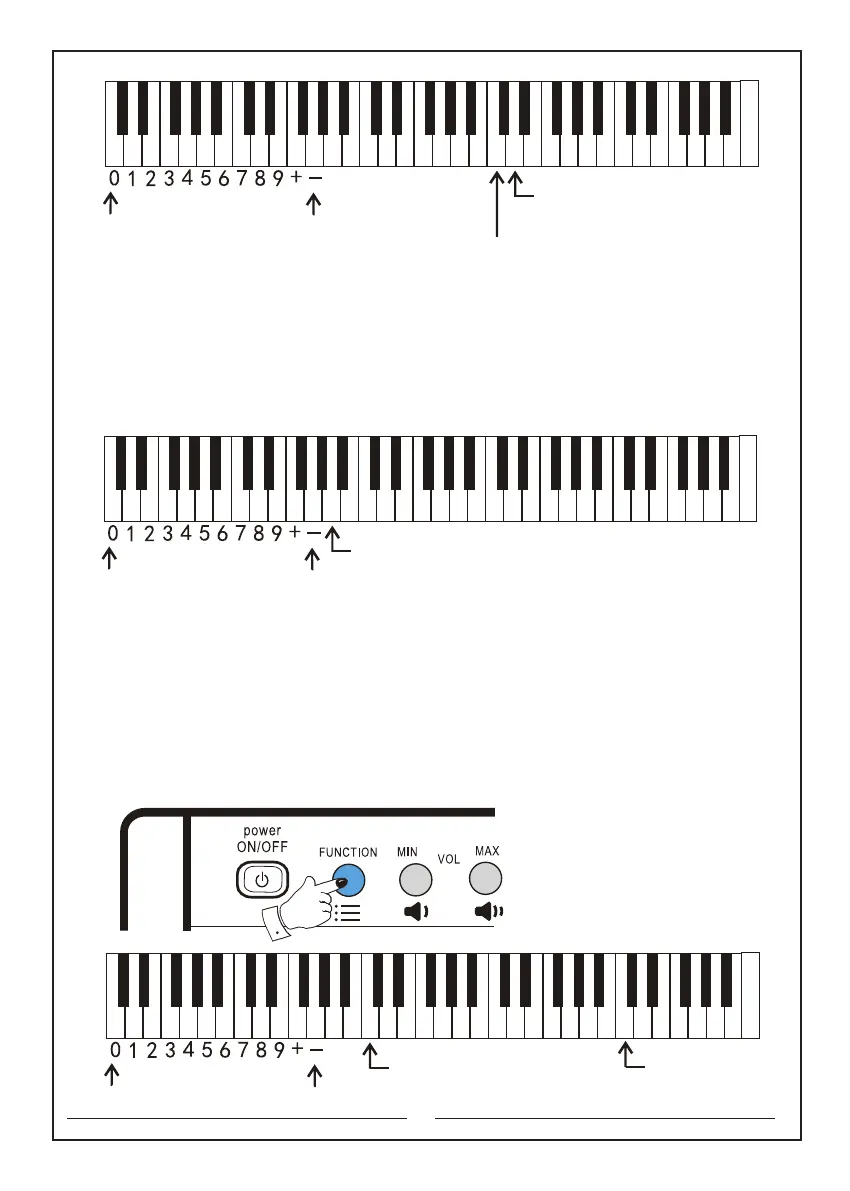
The numeric keyboard
Increase button of the accompaniment volume
Decrease button of the
accompaniment volume
C D E F G A B c d e f g a b c1 d1 e1 f1 g1 a1 b1 c2 d2 e2 f2 g2 a2 b2 c3 d3 e3 f3 g3 a3 b3 c4
16
11.3 Touch response on/off: you can use‘Touch response on/off’switch to turn the
keyboard touch response on or off. The touch response is turned on by default.
While the instrument is on, press and hold the "Function" button, and then press the
"Touch response on/off" switch once to turn it off. Press one more time to turn it on.
The keyboards that will be used are as follows:
Touch response on/off: the a key
11.4 Dual tone switch: first press and hold the ‘Function’ selector, and then press
‘Dual tone’ button. At this time, two different instrument tones will be played
simultaneously, which include the main tone and the selected second tone.
Meanwhile, press and hold the ‘Function’ selector, and then press ‘Tone’ selector as
well as the ‘Numeric keyboard’ to choose the desired second tone. To exit, first press
and hold the ‘Function’ selector, and then press ‘Dual tone’ button again.
The keyboards that will be used are as follows:
Function key: the second button in the upper left corner
Dual tone: the c3 key Tone: the c1 key
Numeric keyboard: the C key to the e key
The numeric keyboard
Touch response on/off
C D E F G A B c d e f g a b c1 d1 e1 f1 g1 a1 b1 c2 d2 e2 f2 g2 a2 b2 c3 d3 e3 f3 g3 a3 b3 c4
The numeric keyboard
Tone Selection key
Dual Tone key
C D E F G A B c d e f g a b c1 d1 e1 f1 g1 a1 b1 c2 d2 e2 f2 g2 a2 b2 c3 d3 e3 f3 g3 a3 b3 c4



 To Next Page