TESA B&S S.A.
Rue du Bugnon 38
CH- 1020 Renens
Tél. (021) 634 15 51 Fax (021) 631 75 12
E-mail . tesainfo@tesabs.ch Page : 43
INSTRUCTIONS DE REPARATION
REPARATURANLEITUNG
REPAIR INSTRUCTIONS
DOCUMENT No: 334.80051 V03
DATE :15/08/2002
4. Correction of internal or external diameter
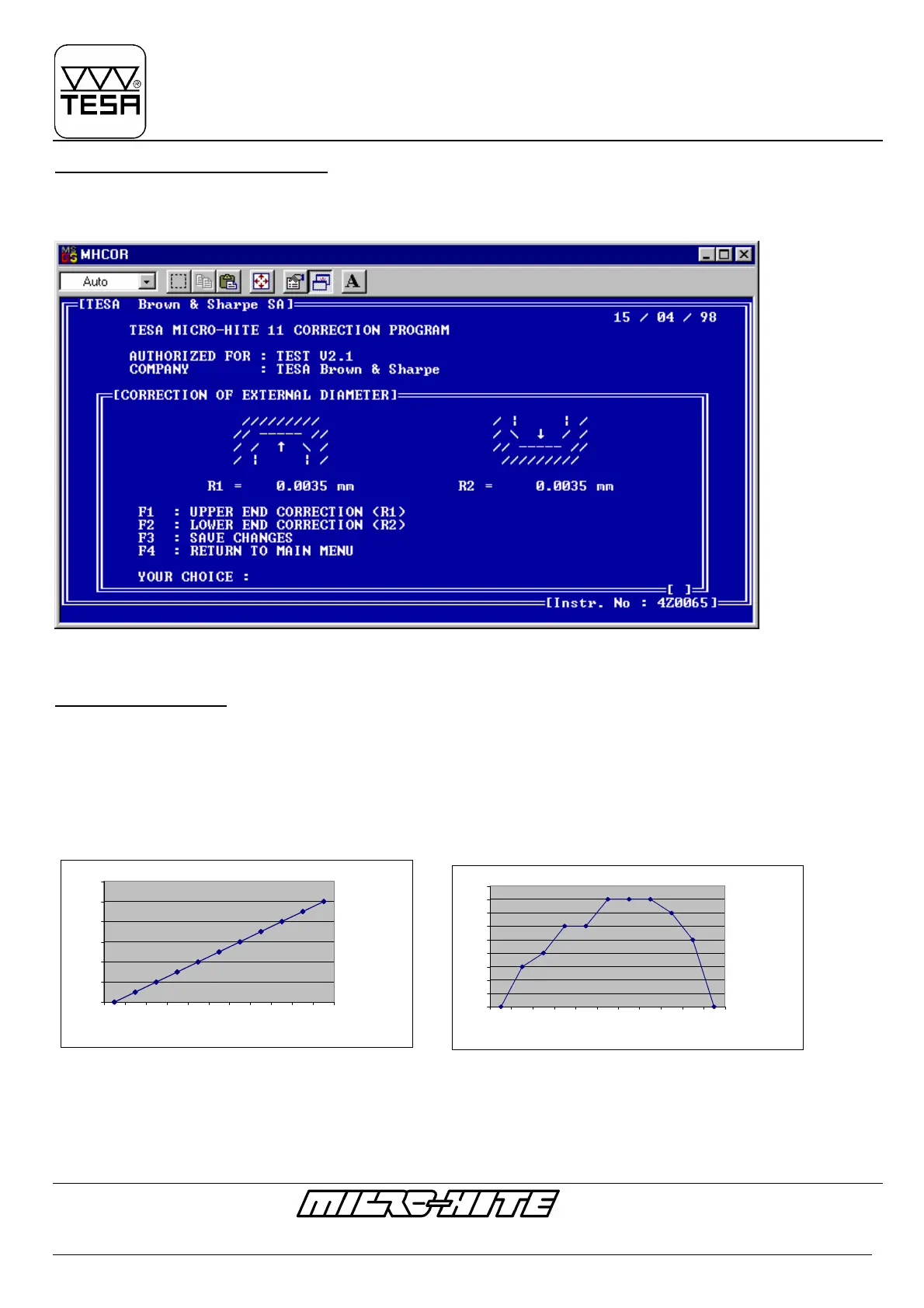
If the diameter measurements needs a correction, please introduce the value to be corrected by using F2 for external diameter and
F3 for the internal diameter.
For example : If a ring of 100mm still having less 7µm (99,993 mm) press F3 in order to obtain the following screen:
Introduce +0.0035mm on R1 and R2. Save the corrections and verify the ring with the new values.
5. Linearization of M-H
If some errors of linear measurements (Fig. 2) should be corrected, you can use option F4 which allows the
linerarization of the M-H.
Attention : If the error shape is like a banana as under fig.3, it would not be possible to correct the M-H by
using this software, and you should return it to B&S TESA SA.
Fig. 2 Fig. 3
For linearization press F4 (of Principle option) and follow the instructions regarding Fig.4
0
2
4
6
8
10
12
0 50 100 150 200 250 300 350 400 450 500
Objectif [mm]
Error [µm]
0
1
2
3
4
5
6
7
8
9
0 50 100 150 200 250 300 350 400 450 500
Objectif
Error [µm]










 To Next Page