
 Need help?
Do you have a question about the Tescom ER3000 and is the answer not in the manual?
Details on the ER3000's NEMA 4X enclosure and wiring port requirements.
Recommended media and filtration for ER3000 operation.
Specifies minimum, maximum, and typical inlet pressure ratings.
Operating temperature, pressure, and humidity ranges for the ER3000.
Defines the flow rate (Cv) and notes on using a booster regulator.
Specifies voltage and current requirements for the ER3000.
Details networking capabilities, cable length, and baud rate.
Specifies room temperature and temperature effects on accuracy.
Defines rise and fall times for pressure response.
Lists conduit and pneumatic port sizes and types.
Provides the physical weight of the ER3000 unit.
Specifies impedance for analog input signals (4-20mA, 1-5V, 0-10V).
Defines current, voltage, and type for digital outputs.
Specifies voltage range and impedance for digital inputs.
Details accuracy for the 4-20mA analog output.
Indicates the rate of sensor reading and processing.
Wiring configurations for main and auxiliary cable assemblies.
Explains jumper settings for analog input signal selection.
Illustrates the essential wiring for PC communication.
Details a common setup with power, regulator, and transducer.
Guides on wiring for 2, 3, and 4-wire transducers.
Shows wiring for analog setpoints from PC/PLC or potentiometer.
Wiring diagrams for monitoring feedback signals via A/D card.
Instructions for daisychaining up to 32 ER3000 controllers.
Explains the ER3000's microcontroller-based control algorithm.
Describes the four available modes: Internal, External, Cascade, Manual.
Uses the ER3000's internal sensor for pressure control.
Uses a user-supplied external transducer for pressure control.
Details sources for setpoints: RS485, analog signal, or profile.
Configures programmable limits and their associated failsafe states.
Explains RS485 communication protocol and network configuration.
Overview of a typical application setup for tuning.
Step-by-step guide for tuning the ER3000 using Windows software.
Procedure for adjusting zero and span settings for accuracy.
Comprehensive software for monitoring, tuning, and configuration.
Information on the non-proprietary protocol for custom software.
Details on DOS-based utilities like TUNE.EXE and ERTALK.
Variables related to controller setpoint and feedback signals.
Variables for setting control mode, failsafe, and network node.
Parameters for tuning the inner PID control loop.
Parameters for tuning the outer PID control loop.
Variables defining failsafe states and limits for specific signals.
Interpreting LED status for power and communication.
Procedure to test ER3000 functionality using LED indicators.
Testing data communication using LED indicators and software.
Troubleshooting common issues with pressure control.
Procedures for leak testing the ER3000 using DOS or Windows software.
 General
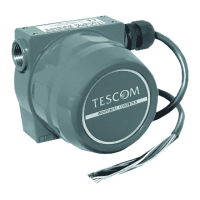
| Brand | Tescom |
|---|---|
| Model | ER3000 |
| Category | Controller |
| Language | English |

 To Next Page

