12
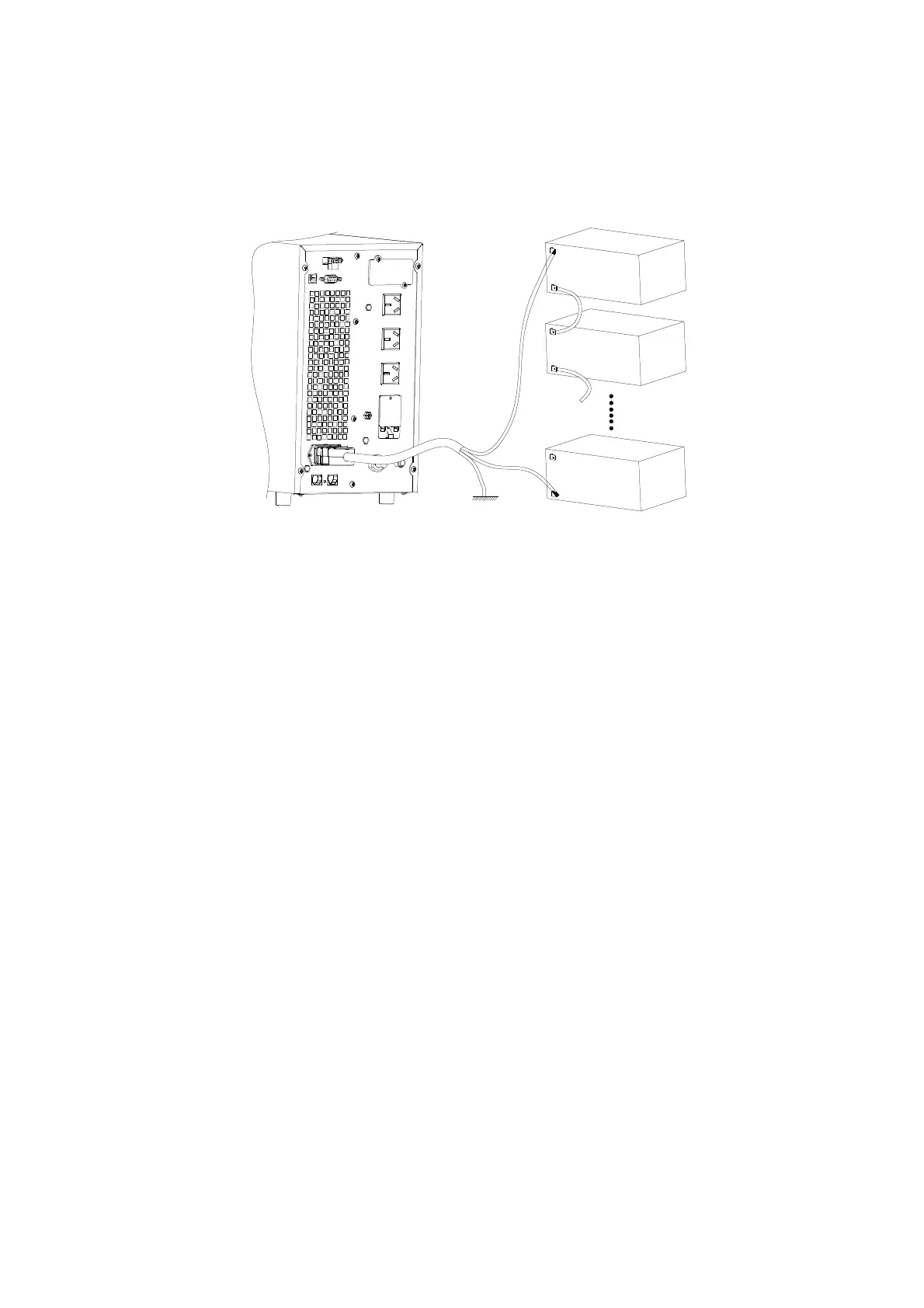
4. Connect the plug of the external battery cable to the external battery socket on the rear panel
of the UPS to complete the connection procedure and the UPS starts to charge the battery
pack.
Figure 3-4 Battery connection diagram for Long Backup time models
Note
:
The length of the external battery cable is 2m, If users need a longer one, please consult
the distributor. There is a limit to the length of the external battery cable to ensure normal operation
of the UPS.
3.3.3 Connecting Communication interface









 To Next Page