55
USER MANUAL
PRIME PLUS � 1/1 � 1-3 kVA � ΟNLINE UPS
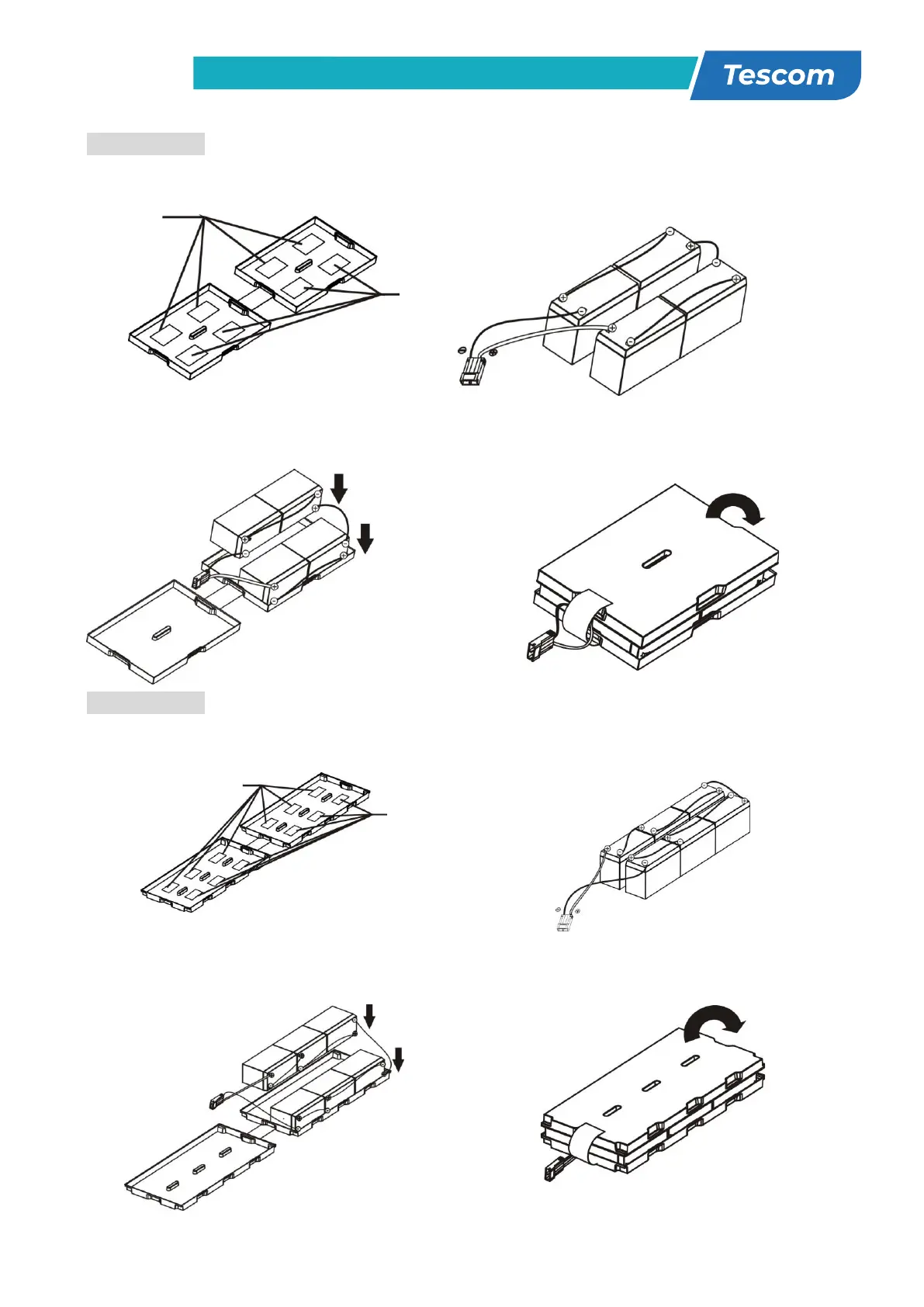
4-battery kit
Step 1: Remove adhesive tapes. Step 2: Connect all battery terminals by
following below chart.
Step 3: Put assembled battery packs on
one side of plastic shells.
Step 4: Cover the other side of plastic shell as
below chart. Then, battery kit is assembly well.
6-battery kit
Step 1: Remove adhesive tapes. Step 2: Connect all battery terminals by
following below chart.
Step 3: Put assembled battery packs on
one side of plastic shells.
Step 4: Cover the other side of plastic shell as
below chart. Then, battery kit is assembly well.
Tapes
Tapes



 To Next Page