59
USER MANUAL
PRIME PLUS � 1/1 � 1-3 kVA � ΟNLINE UPS
3-5. UPS Setting
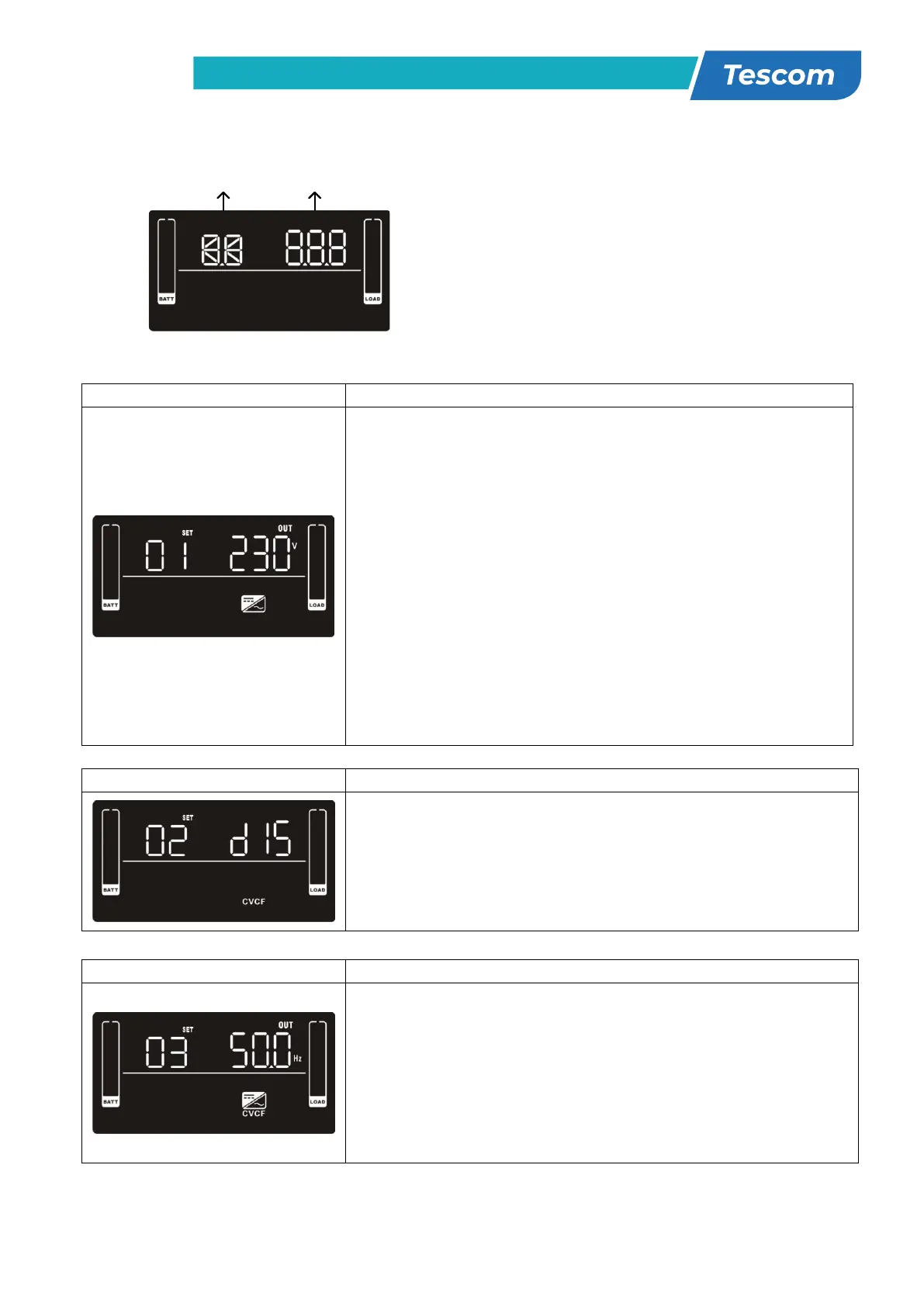
There are three parameters to set up the UPS.
Parameter 1: It’s for program alternatives.
Refer to below table.
Parameter 2 is the setting options or values
for each program.
01: Output voltage setting
Parameter 2: Output voltage
For 200/208/220/230/240 VAC models, you may choose the
following output voltage:
200: presents output voltage is 200Vac
208: presents output voltage is 208Vac
220: presents output voltage is 220Vac
230: presents output voltage is 230Vac (Default)
240: presents output voltage is 240Vac
For 100/110/115/120/127 VAC models, you may choose the
following output voltage:
100: presents output voltage is 100Vac
110: presents output voltage is 110Vac
115: presents output voltage is 115Vac
120: presents output voltage is 120Vac (Default)
127: presents output voltage is 127Vac
02: Frequency Converter enable/disable
Parameter 2: Enable or disable converter mode. You may
choose the following two options:
CF ENA: converter mode enable
CF DIS: converter mode disable (Default)
03: Output frequency setting
Parameter 2: Output frequency setting.
You may set the initial frequency on battery mode:
BAT 50: presents output frequency is 50Hz
BAT 60: presents output frequency is 60Hz
If converter mode is enabled, you may choose the following
output frequency:
CF 50: presents output frequency is 50Hz
CF 60: presents output frequency is 60Hz



 To Next Page