Operating instructions
12
In case of difficulty
Tesla Motors understands that you will rely
heavily on the Home Connector to charge
your Roadster. Therefore, should problems
arise, every effort will be made to restore
service as soon as possible. To minimize
unnecessary wait time if charging stops
and either the red PROTECTION or red
SERVICE lights illuminate, follow these
steps before contacting Tesla Motors:
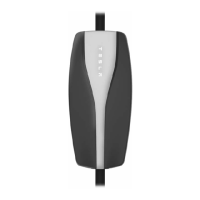
• Press the START button the Home
Connector’s front panel to restart
charging.
• If the red PROTECTION or SERVICE
light remains illuminated, unplug the
vehicle. If the red light goes out, plug
the vehicle back in and see if charging
begins normally.
• If charging does not begin normally
and the red PROTECTION or SERVICE
light continues to illuminate, unplug
the vehicle and switch power off at the
circuit breaker. Wait a few seconds and
switch the breaker back on again. If the
PROTECTION or SERVICE light does
not come back on, plug the vehicle
back in. Charging should begin
normally.
If charging does not begin after following
these steps, contact Tesla Motors.
Vehicle charging instructions
For detailed information on how to charge
your Tesla Roadster, refer to the ‘Owner’s
Manual’.
Home Connector Users Manual.book Page 12 Monday, April 26, 2010 12:38 PM


 To Next Page
 Loading...