For the service technician
14
For the service technician
GFCI (CCID) trip
If the Home Connector detects a ground
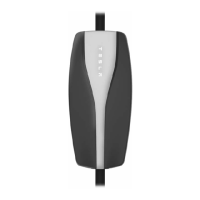
fault, the contactor will open and the front
panel’s red PROTECTION light will
illuminate. The system waits 13 minutes
after sensing a fault, then automatically
attempts recovery. After several such
attempts, the Home Connector will stay in
the PROTECTION mode and the red
PROTECTION light will blink continuously.
If a ground fault error or an electric vehicle
connection error has been detected,
follow these steps:
1. Unplug the vehicle.
2. Inspect the connector and the vehicle’s
charge port to verify they are clean
and undamaged. If necessary remove
any accumulation of dust or dirt from
the charge port, or the cable
connector, using a clean dry or damp
cloth.
3. Plug the vehicle back in. If the fault
persists, contact Tesla Motors for
assistance.
Ground missing
When the Home Connector detects a
missing Service Ground (Earth
connection), the red SERVICE light on the
front panel will illuminate. The Home
Connector’s contactor will not close until a
proper Service Ground (Earth connection)
has been detected.
Home Connector Users Manual.book Page 14 Monday, April 26, 2010 12:38 PM


 To Next Page
 Loading...