14
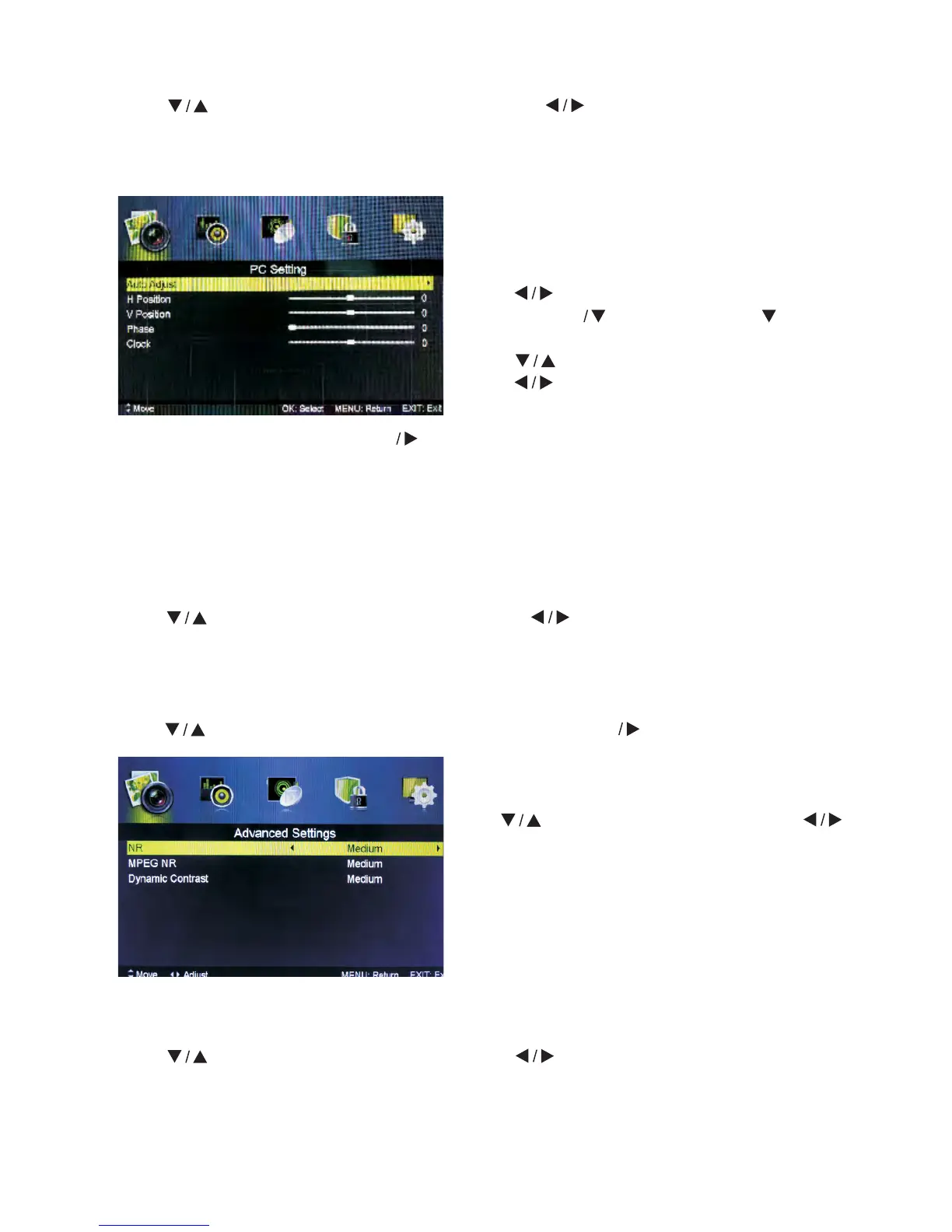
Auto Adjust Press MENU button to adjust the screen automatically to the
optimal position of the picture.
H Position Adjust horizontal position of the picture.
V Position Adjust vertical position of the picture.
Phase Minimize horizontal distortion.
Clock Minimize vertical stripes in the screen image.
Screen Mode
Press button to select HDMI Mode, then press button to select Auto, Video or PC.
It is available in HDMI Input only.
Advanced Settings
Adjust advanced video features to fine tune the picture.
Press button to select Advanced Settings, then press Enter button to enter sub-menu.
Mpeg NR
Set options to reduce MPEG noise.
Press
button to select Mpeg NR, then press button to select.
Off Select to turn off MPEG noise detection.
Week Detect and reduce low MPEG noise.
Medium Detect and reduce moderate MPEG noise.
Strong Detect and reduce intense MPEG noise.
Aspect Ratio
Press button to select Aspect Ratio, then press button to select.
Auto Automatically adjust Aspect Ratio based on the TV size and TV program.
Full/4:3 /Zoom1/Zoom2 To select the available display format.
PC Setting
Press SOURCE to select PC source.
Press MENU to enter the main menu, then
press
button to select PICTURE menu.
Press ENTER to enter and press to
select PC Setting.
Press button to select PC Settings, then
press button to adjust.
NR
Set options to reduce video noise.
Press
button to select NR, then press
button to select.
Off Select to turn off video noise detection.
Week Detect and reduce low video noise.
Medium Detect and reduce moderate video noise.
Strong Detect and reduce intense video noise.



 To Next Page