13
5. Main Menu Operation
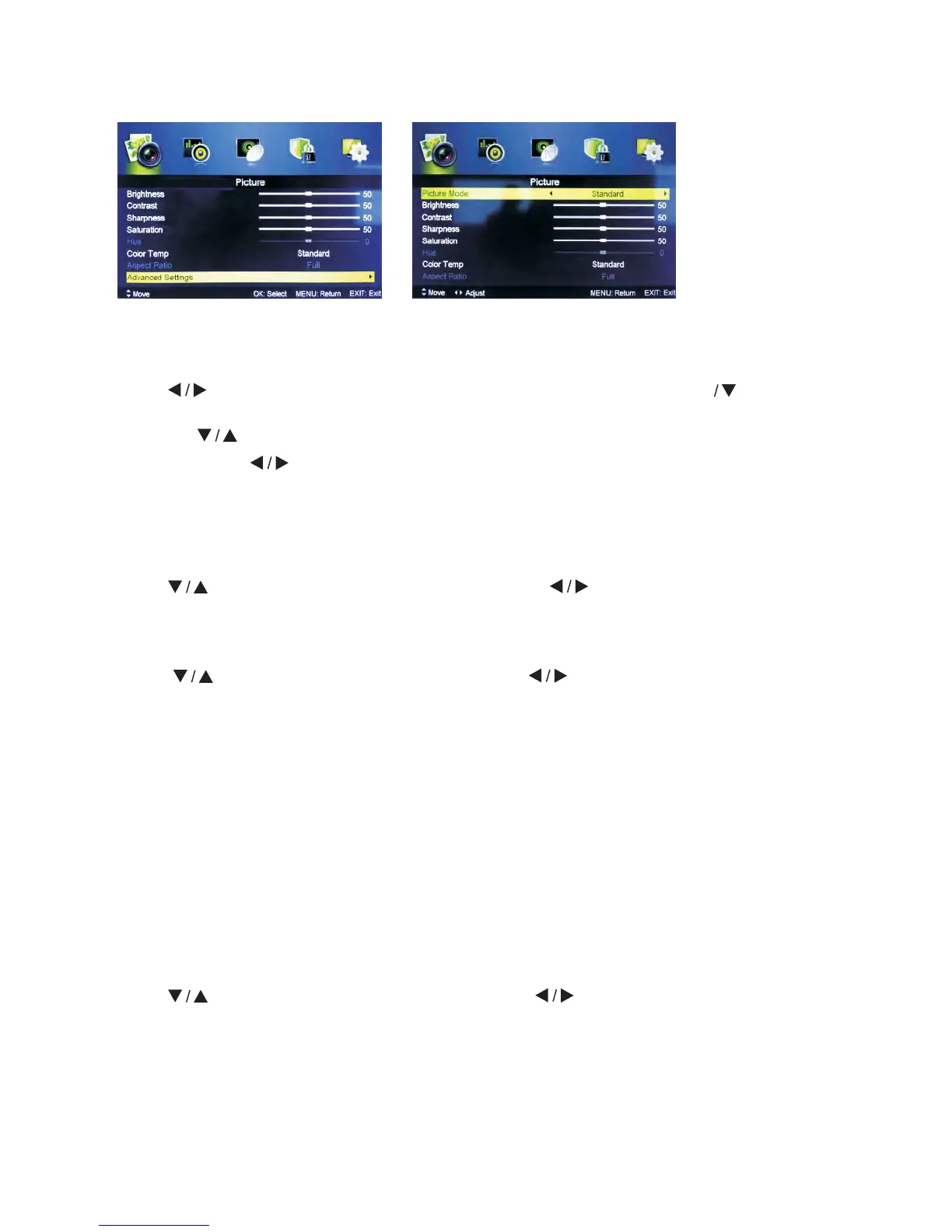
5.1 Picture Menu
Press MENU button to display the main menu.
Press button select PICTURE in the main menu, then press ENTER to enter.
1. Press button to select the option that you want to adjust in the PICTURE Menu.
2. Press Enter
button to adjust.
3. After finishing your adjustment, press MENU button to save and return back to the
previous menu.
Picture MODE
Press
button to select Picture Mode, then press button to select.
(Available Picture modes: Standard, Mild, Personal, Dynamic).
Brightness/Contrast/ Sharpness/Saturation/Hue
Press button to select the option, then press button to adjust.
Brightness Adjust optical fiber output of the entire picture, it will affect dark regions of
the Picture.
Contrast Adjust highlight intensity of the picture, but the shadow of the picture
remains invariable.
Sharpness Adjust peaking in the detail of the picture.
Saturation Adjust saturation of the color based on your own like.
Hue Use in compensating color changed with the transmission of the NTSC
code.
Color Temp
Change the overall color cast of the picture.
Press
button to select Color Temp, then press button to select Standard/Cool/
Warm.
Standard Produces a vivid image.
Cool Produces a gentle blue-hued image.
Warm Produces a red-hued image.



 To Next Page