18
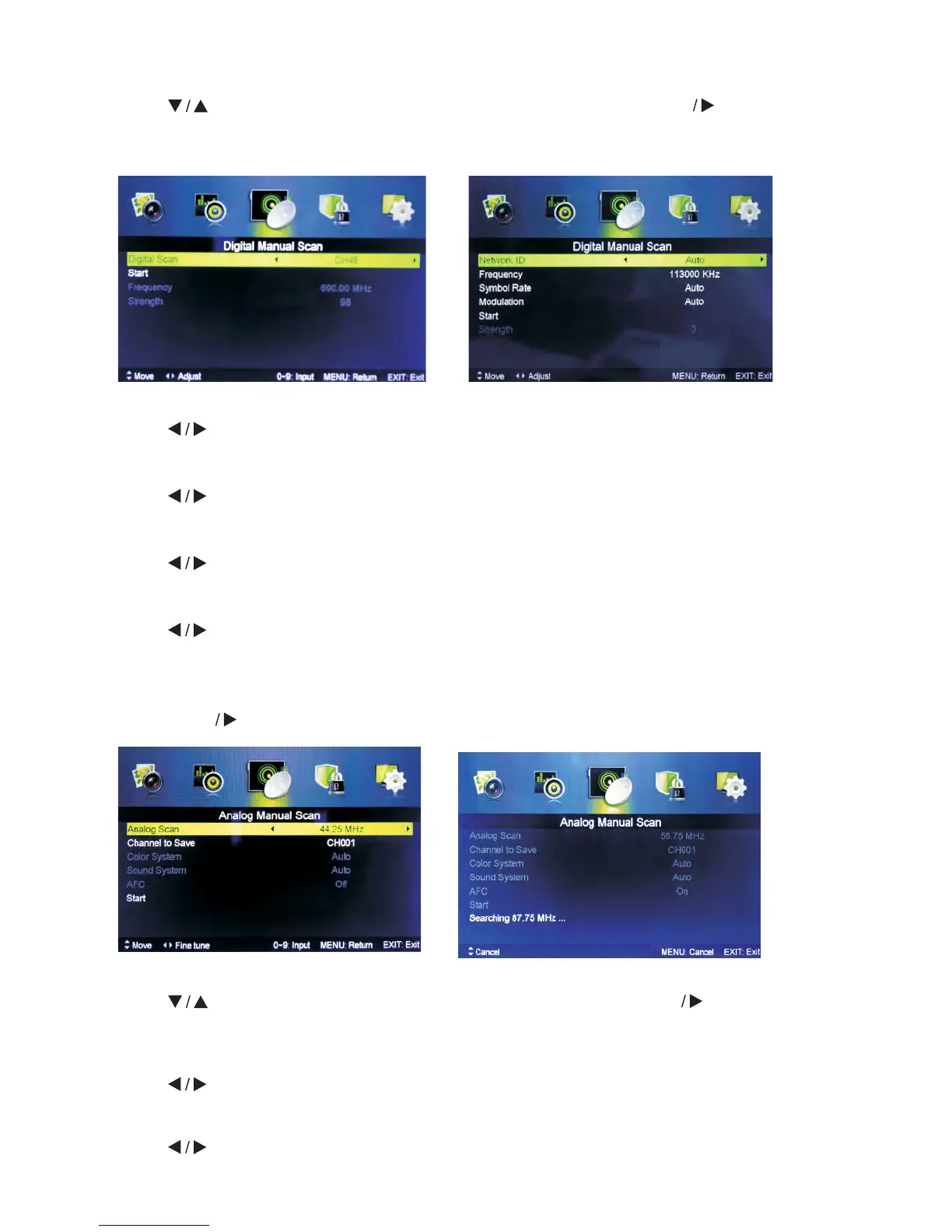
Digital Manual Scan
Press button to select Digital Manual Scan, then press ENTER button to
enter sub-menu.
Network ID
Press
button to select Network ID: Auto or enter digital numbers.
Frequency
Press
button to select Frequency: Auto or enter digital numbers.
Symbol Rate
Press button to select Symbol Rate: Auto or enter digital numbers.
Modulation
Press
button to select Modulation: Auto, 16QAM, 32QAM, 64QAM, 128QAM,
256QAM.
Start
Press Enter button to start channel searching.
Analog Manual Scan
Press
button to select Analog Manual Scan, then press ENTER button to enter
sub-menu.
Analog Scan
Press
button to select Analog Scan.
Channel to Save
Press
button to select.
Tuner type is Antenna Tuner type is Cable



 To Next Page