Plugging In
Note: Always inspect the Mobile Connector for damage prior to each use.
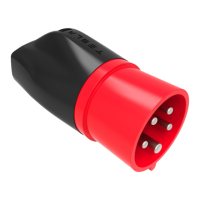
1. Ensure that the Mobile Connector’s adapter matches the outlet you want to use. For
instructions on how to change the adapter, see Changing the Adapter.
2. Plug the Mobile Connector’s adapter into the power outlet. The adapter should be inserted
completely into the power outlet.
3. With your vehicle unlocked, press the button on the top of the Mobile Connector handle. The
charge port door opens.
Note: Your vehicle is unlocked when the key is nearby, and automatic unlocking is on. You can
also open the charge port door using any of these methods:
• On the touchscreen, touch the charging icon, and then press OPEN CHARGE PORT.
• On the touchscreen's image of Model 3, touch the charging icon.
• Press the charge port door when the vehicle is unlocked or a paired smart phone is
nearby.
How to Charge
8


 To Next Page
 Loading...