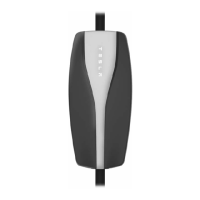
Status Lights
Under normal conditions when charging is in progress, the Tesla logo lights illuminate sequentially,
and the red light is o. Identify problems by paying attention to these lights.
Resolving Faults
Green Lights Red Light What it means What to do
All on for 1
second
O Start-up sequence. Nothing. The Mobile
Connector is starting up.
All on O Power on. Mobile Connector is
powered and standing by, but
not charging.
Make sure the Mobile
Connector is plugged into the
vehicle.
Streaming O Charging is in progress. Nothing. The Mobile
Connector is successfully
charging.
Streaming 1 flash Charging current is reduced
due to high temperature
detected in the vehicle
connector.
Unplug the Mobile Connector
from the vehicle, and then
plug it back in. Consider
charging in a cooler area, such
as indoors or in the shade. If
the error persists, contact
Tesla.
Streaming 2 flashes Charging current is reduced
due to high temperature
detected in the input plug that
connects to the Mobile
Connector controller.
Unplug the Mobile Connector
from both the vehicle and the
wall. Ensure that the adapter is
fully inserted, plug the Mobile
Connector into the wall, and
then plug it into the vehicle. If
the error persists, contact
Tesla.
Troubleshooting
10


 To Next Page
 Loading...