®
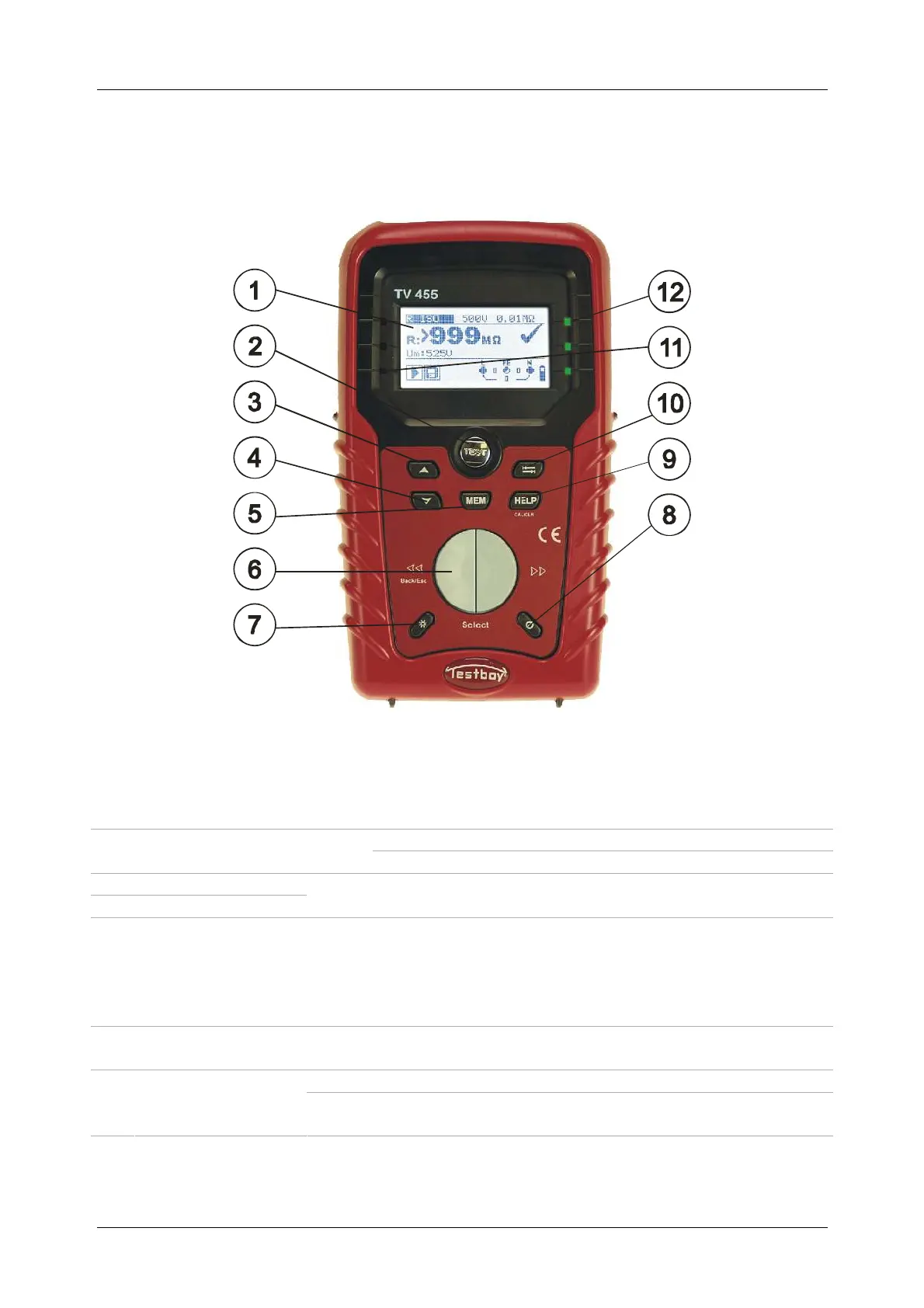
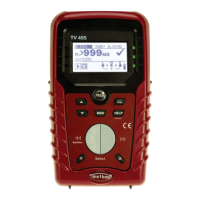
TV 450/455 OFront panel
13
3 Instrument description
3.1 Front panel
Figure 3.1: Front panel (picture of TV 455)
Legend:
1 LCD 128 x 64 dots matrix display with backlight.
Starts measurements.
2 TEST
TEST
Acts also as the PE touching electrode.
3 UP
4 DOWN
Modifies selected parameter.
5 MEM Store / recall / clear tests in memory of instrument.
6 Function selectors Selects test function.
7
Backlight,
Contrast
Changes backlight level and contrast.
Switches the instrument power on or off.
8 ON / OFF
The instrument automatically turns off 15 minutes after the
last key was pressed.


 To Next Page