5 First steps
16
Green TPM value < lower limit value
Red TPM value > upper limit value
The alarm indicator is switched on when the instrument is
delivered. The TPM limit values are set as follows (only for the
standard set, order no. 0563 2750):
Lower limit value 20%
Upper limit value 24%
To activate/deactivate the alarm indicator, see Configuring the
instrument, page 18.
To set the TPM limit values, see Setting the TPM limit values, page
16.
Pos: 52 /TD/Erst e Schritte/testo 275/ TPM-Grenzwerte einste llen (testo 275) @ 15\mod _1407409482149_79.doc x @ 194519 @ 355 @ 1
5.2.2.2. Setting the TPM limit values
The TPM limit values can be between 0 and 40%. The
upper limit value (Alarm ) must be at least 1% higher than
the lower limit value (Alarm ).
In order to apply the settings of the lower and upper TPM
limit value, you must make sure you confirm the input of the
upper TPM limit value with [Hold].
Setting the lower TPM limit value
Requirement: Instrument is in configuration mode, See also
Carrying out the configuration, page 18.
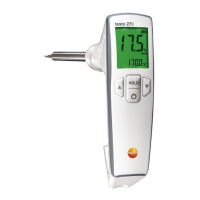
1. Alarm and the set lower limit value appear on the display.
- When alarm indicator is activated: the display lights up yellow.
2. Set the lower limit value with [] or [].
3. Confirm with [Hold].
- New lower limit value is applied.
- The instrument switches to the upper TPM limit value (Alarm ).
Setting the upper TPM limit value
Requirement: Instrument is in configuration mode,
lower TPM limit value has been set and confirmed with [Hold].
1. Alarm and the set upper limit value appear on the display.
- When alarm indicator is activated: the display lights up red.
2. Set the upper limit value with [] or [].
3. Confirm with [Hold].


 To Next Page