7 Maintaining the product
26
Pos: 67 /TD/Übersc hriften/7. Produkt i nstand halten @ 0\mod_117 3789831362_79.doc x @ 397 @ 1 @ 1
7 Maintaining the product
Pos: 68 /TD/Produk t instand halten/tes to 275/Batterien wechse ln (testo 275) @ 15\mod_140 7494908084_79.doc x @ 194985 @ 2 @ 1
7.1. Changing batteries
CAUTION
Incorrectly inserted batteries can damage the instrument!
> Adhere to the polarity when inserting the batteries.
Requirement: The instrument is switched off.
1. Undo the screw on the battery compartment cover and open the
battery compartment.
2. Remove the empty batteries from the holder and insert new
batteries (type AAA).
3. Close battery compartment and secure with screw.
Pos: 69 /TD/Produk t instand halten/tes to 270/Sensor rei nigen @ 2\mod_1206628000890_79. docx @ 13273 @ 25 @ 1
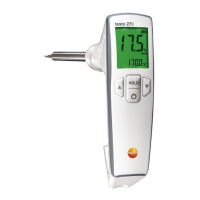
7.2. Cleaning the sensor
WARNING
Risk of burns due to hot instrument parts (sensor and probe
shaft)!
> Do not touch hot instrument parts with your hands.
> Allow instrument to cool sufficiently before cleaning.
> In the event of burns, immediately cool corresponding spot with
cold water and see a doctor if necessary.
CAUTION
Possible damage to the sensor!
> Do not remove cold oil residues from the sensor.
> Do not use any sharp-edged objects.
> Do not use aggressive cleaning agents and solvents.
Improper handling
> Do not use force!
> Use weak household cleaning agents, standard household
rinsing agents, water or soap suds.
> Gently clean sensor with a soft paper towel, or rinse under
running water.
> Carefully dry sensor with a soft paper towel.


 To Next Page