3 Operation
13
3.2 Switching the testo 440 on/off
Initial activation
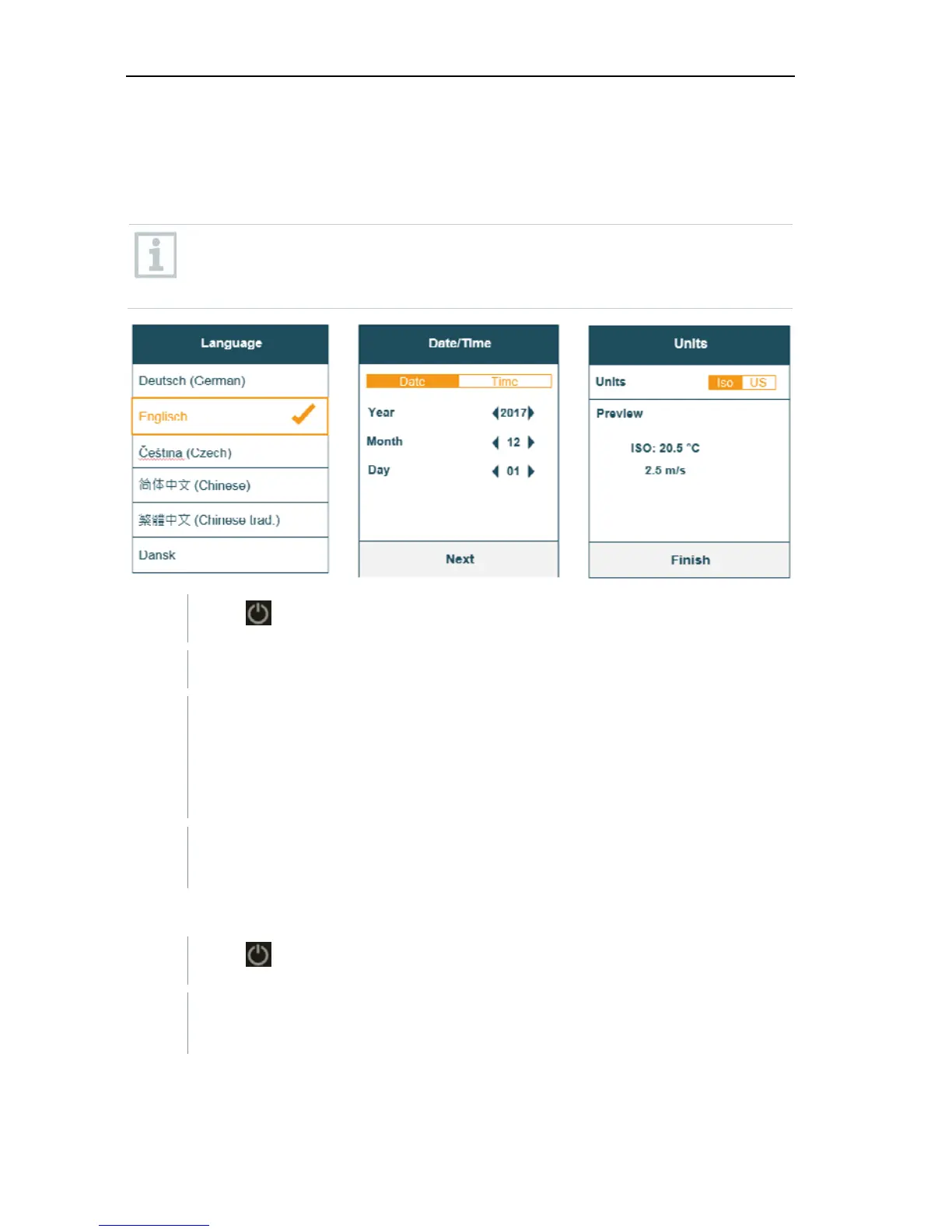
For initial commissioning or after a factory reset, the Initial Operation
menu is opened automatically. In normal mode, the last menu used is
displayed after switching it on.
1
Press .
The Initial Operation menu is displayed.
2 Make the following settings in sequence:
- Language [Language]
Date (year/month/day) and time (format, time) [Date/Time]
- Unit system (ISO/US) [Units]
The basic settings have been set. They can be adjusted any time in
Settings.
Switching on
1
Press .
The last active menu when the instrument was switched off is
displayed.
Switching off



 To Next Page