3 Operation
24
Please refer to the relevant instruction manual for details on operating
the printer.
The Bluetooth
®
printer is connected to the testo 440.
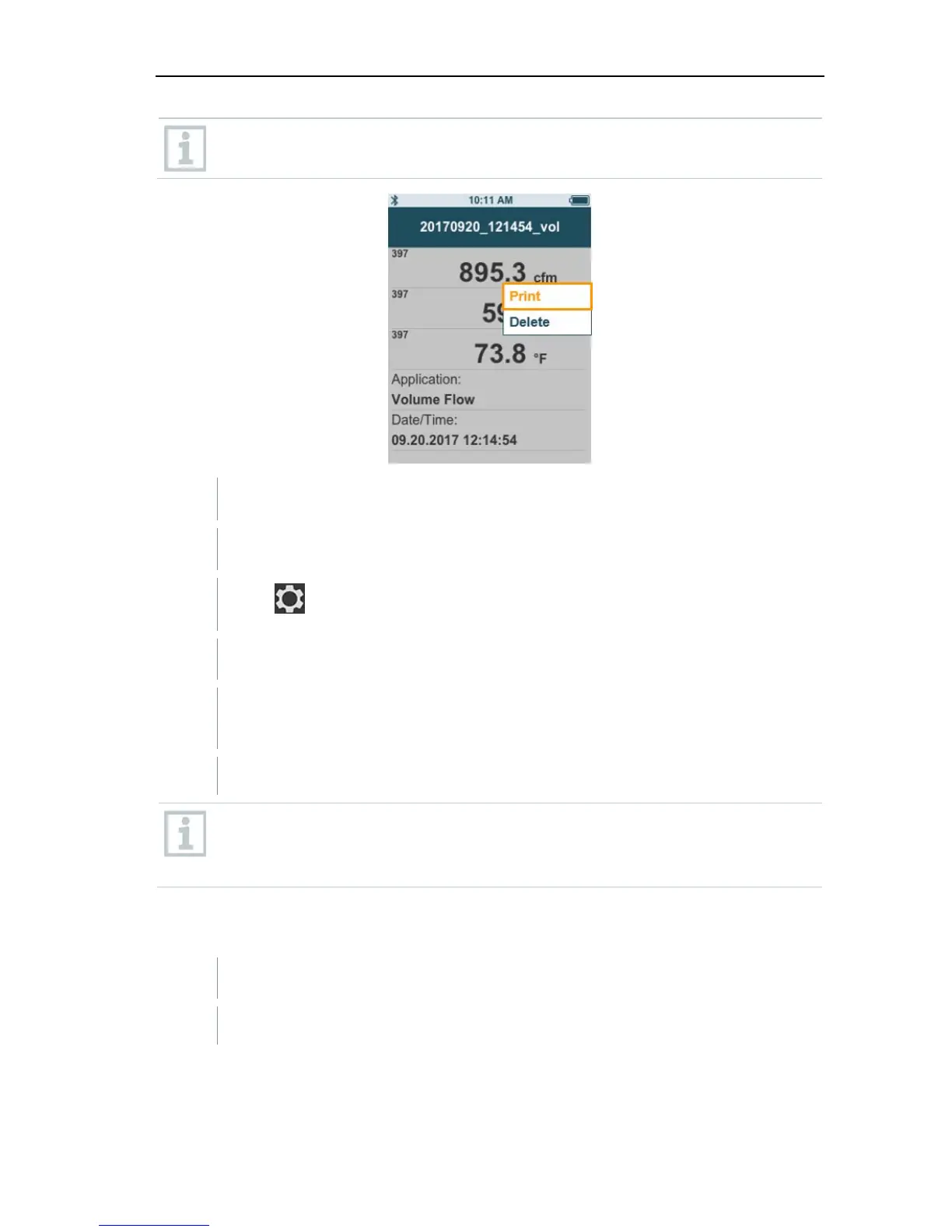
1 Select the required measurement in the memory.
2
Press
.
3 Select Print [Print].
The Bluetooth
®
connection to the printer is automatically established.
This process may take a few seconds.
The protocol is printed.
During printing, the testo 440 interrupts the Bluetooth
®
connection to
the connected probe. The connection is automatically restored after
printing has finished.
3.4.2 CSV export
1 Connect the testo 440 to your computer using the micro USB cable.
The AutoPlay window opens automatically on your screen.



 To Next Page