3 Operation
30
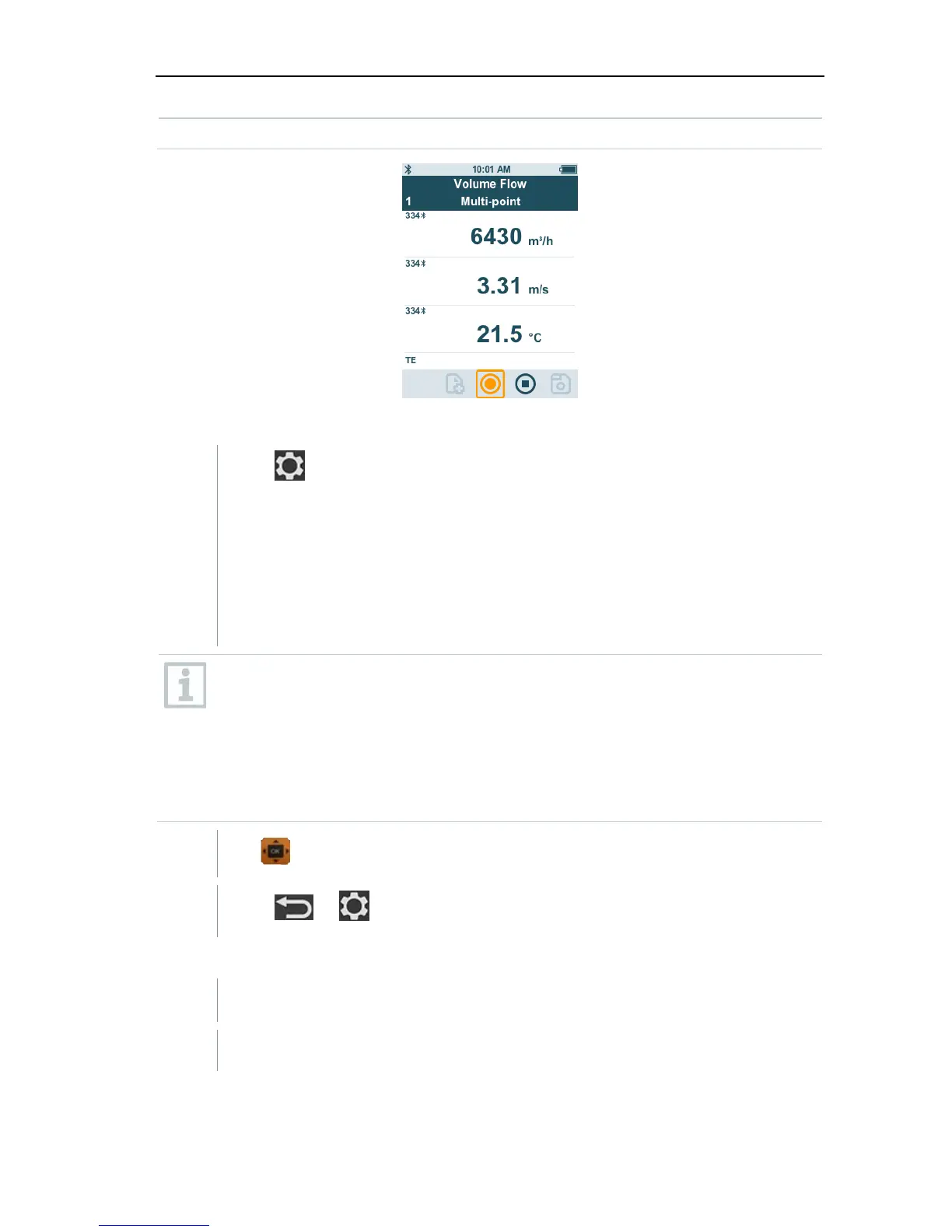
for the volume flow measurement.
Preparing for measurement
1
Press
to configure the measurement.
You can set the following parameters:
- Geometry: round, rectangular, area
- Measuring Type: multi-point/timed avg.
- Volume Flow Unit: m
3
/h, cfm, l/s, m
3
/s
- Correction Factor: 1% to 200%
In a multi-point measurement, a mean value is calculated from the
individual measuring values.
In a timed average measurement, a mean value is calculated over a
certain period.
Several points can be measured. This generates a timed average/multi-
point total mean value.
2
Use to select the required parameter and make settings.
3
Press
or to exit the menu.
Carrying out the measurement
A suitable probe is connected to the testo 440.
1 Remove the protective cap from the probe head.



 To Next Page