7 First steps
11
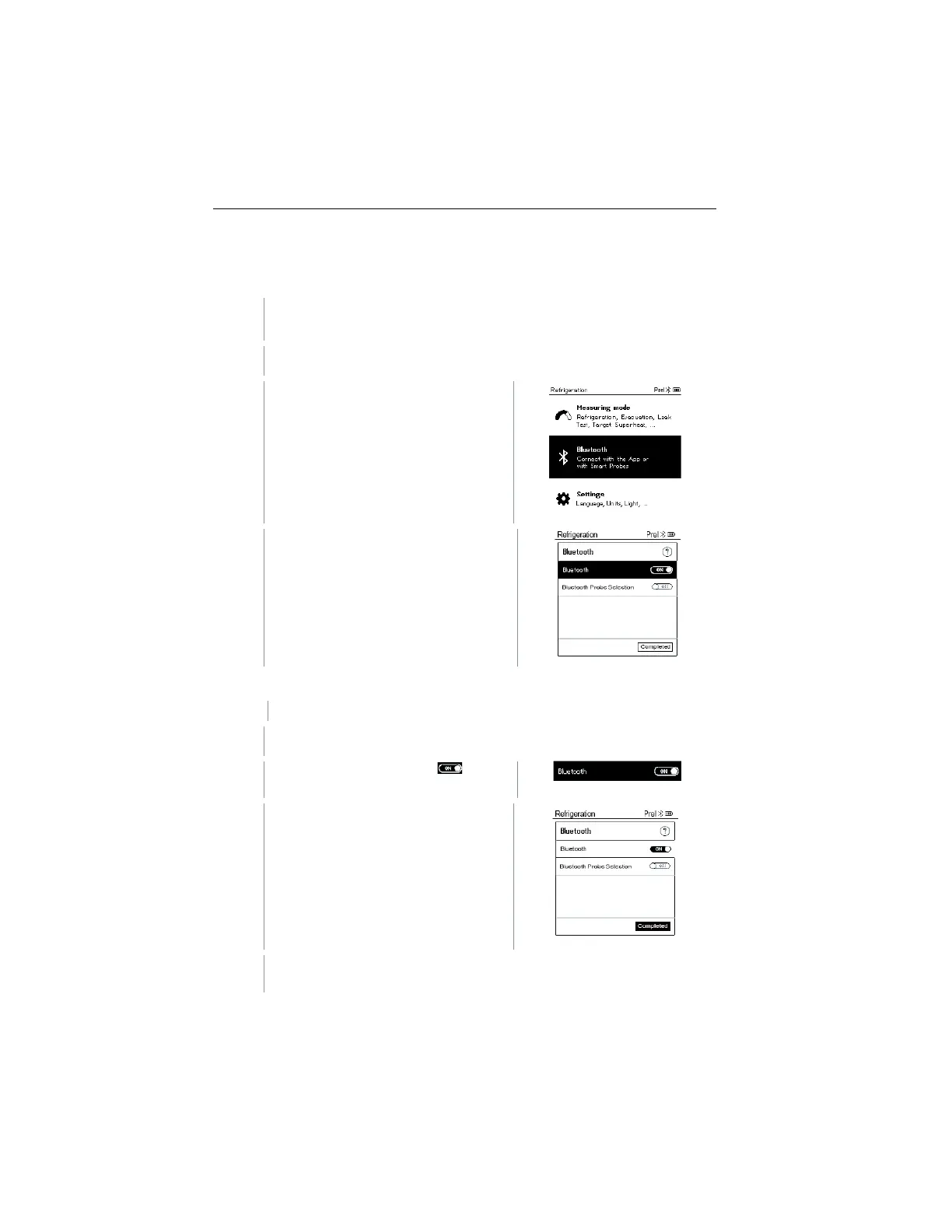
7.3.2 Establishing a Bluetooth
®
connection to the
testo 550s / testo 557s manifold
The instrument is switched on and the measurement menu is
displayed.
Use [▲] / [▼] to select Bluetooth
and [Menu/Enter] to confirm.
The Bluetooth menu is displayed.
The Bluetooth menu is selected.
In the On/Off switch icon, is
displayed.
Enable Bluetooth®: Use [▼] to
activate the [Completed] button and
[Menu/Enter] to confirm.
When the Bluetooth
®
icon appears on the display, Bluetooth
®
is
switched on.
www.GlobalTestSupply.com
Find Quality Products Online at: sales@GlobalTestSupply.com



 To Next Page