6 Using the product
31
6 Using the product
6.1. Menu bar/tabs
Functions are called up via the menu bar. The menu bar comprises
3 tabs. Different functions are available depending on which tab is
selected.
Tabs and functions are described briefly below. Detailed
information about the individual functions is given in the following
chapters.
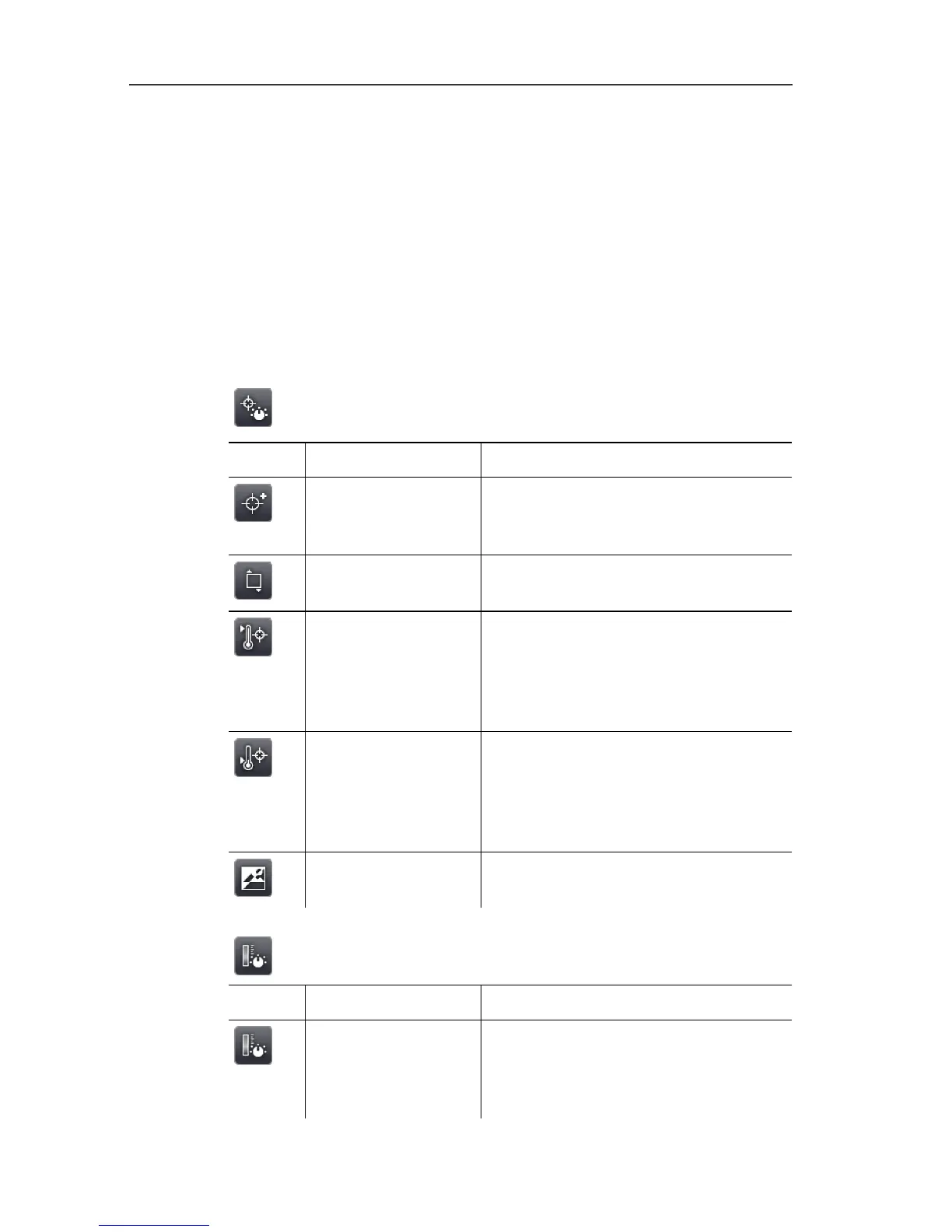
6.1.1. Analysis functions tab
Button Function Description
New mark
Insert new measuring point mark.
See also Pixel mark | New mark,
page 36.
Min/Max on Area
Show area mark. See also
Min/max/avg on area, page 37.
Hotspot
Display maximum measurement
value. When the function is enabled,
the button is highlighted orange.
See also Pixel mark | Hotspot, page
35.
Coldspot
Display minimum measurement
value. When the function is enabled,
the button is highlighted orange.
See also Pixel mark | Coldspot,
page 36.
Image type Change display: toggle between IR
image and real image.
6.1.2. Scale and correction functions tab
Button Function Description
Scale Open Scale manual input screen.
To adjust the measurement value
scale. See also Scale manual, page
43.



 To Next Page