EasyManua.ls Logo

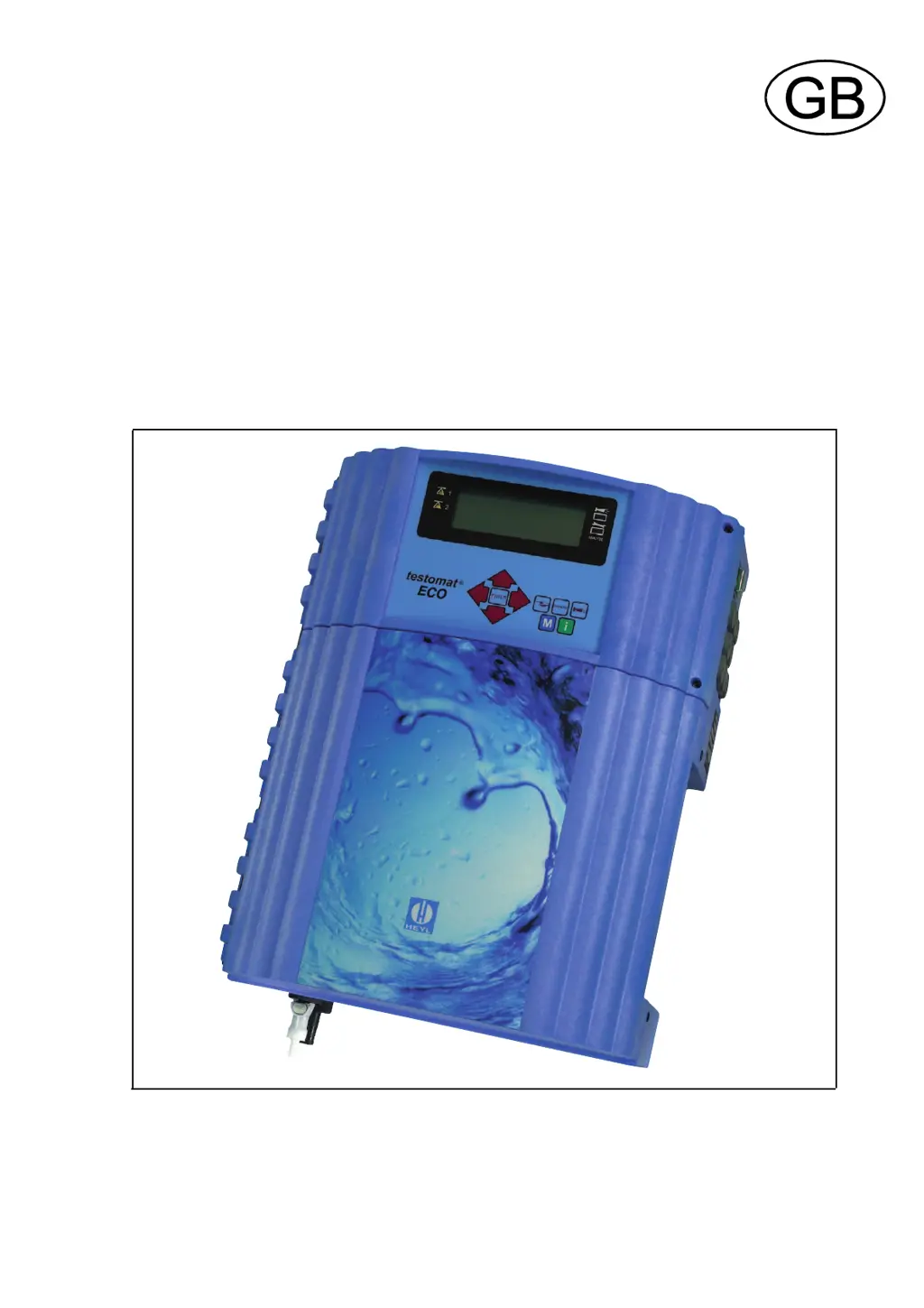
Testomat ECO - User Manual

Testomat ECO
21 pages
Print Icon
To Next Page IconTo Next Page
Loading...
Testomat
®
ECO
Operating instructions

Table of Contents

Questions and Answers

  • S
    Sarah ColeAug 16, 2025
    What to do if Testomat ECO Measuring Instruments shows low water pressure?
    • F
      fitzgeraldnormaAug 16, 2025
      If your Testomat Measuring Instruments indicates low water pressure, several factors could be the cause. First, check the water inlet if the LED "IN" is lit. Also, the inlet pressure may be too low due to an oxidised connector of the inlet valve. The overflow reagent might not be active, so try cleaning the filter strainer. If these steps don't resolve the issue, consider replacing the valve block, extracting the pressure regulator valve, or carrying out an adjustment.
  • M
    Melissa BaileyAug 19, 2025
    What to do if Testomat ECO Measuring Instruments shows reagent low?
    • D
      Daniel EdwardsSep 12, 2025
      If your Testomat Measuring Instruments displays a 'reagent low' message, it means the reagent quantity is below the minimum setting. Without BOB, this is 50 ml (10%), and with BOB, it's after calculation. Check the reagent level and fill it up if necessary. You can enter the level under "M” SERVICE.
  • E
    Evelyn EricksonAug 22, 2025
    What to do if Testomat ECO Measuring Instruments shows outlet to drain error?
    • S
      Samantha WilliamsAug 22, 2025
      If your Testomat Measuring Instruments shows an 'outlet to drain' error, and water remains in the measuring chamber even when the LED "OUT" is lit, start by checking the water outlet. Also, the connector of the outlet valve might be oxidised. If the problem persists, consider replacing the valve block.
  • B
    Brian GrahamAug 25, 2025
    What to do if Testomat ECO Measuring Instruments measuring range is exceeded?
    • P
      philip98Aug 26, 2025
      If the measuring range is exceeded on your Testomat Measuring Instruments, choose another type of reagent using the basic program.
  • B
    Benjamin VelasquezAug 28, 2025
    How to fix dosing pump cancel with horn-key on Testomat ECO Measuring Instruments?
    • J
      Jamie MurrayAug 28, 2025
      If the dosing pump is canceled with the horn-key on your Testomat Measuring Instruments, it could be due to a defective dosing pump, in which case you should replace it. Another cause could be no dosing message from the dosing pump, so check the cable connection to the dosing pump.
  • K
    Kaitlin SmithAug 31, 2025
    Why does Testomat ECO Measuring Instruments show analysis cancel with horn-key?
    • J
      John RiceAug 31, 2025
      If your Testomat Measuring Instruments displays an 'analysis cancel' message with the horn-key, it could be due to an incorrect analysis, such as air in the dosing capillary. Try tightening the connections of the dosing pump. Other solutions include replacing the stirring mechanism, replacing the suction insert in the bottle, or replacing the reagent, ensuring you only use HEYL Testomat® 2000 reagent.
  • S
    Susan MooreSep 3, 2025
    How to resolve dirtiness cancel with horn-key on Testomat ECO Measuring Instruments?
    • V
      Veronica Torres MDSep 3, 2025
      If your Testomat Measuring Instruments shows a 'dirtiness cancel' message with the horn-key, it's likely due to dirty sight-glass windows. Clean the sight-glass windows to resolve this issue.
  • T
    Toni WatkinsSep 6, 2025
    What causes dosing fault cancel with horn-key on Testomat Measuring Instruments?
    • X
      xhowardSep 6, 2025
      A 'dosing fault cancel' message with the horn-key on your Testomat Measuring Instruments indicates a dosing inaccuracy of the dosing pump. To resolve this, replace the dosing pump or return it to the supplier for calibration.
  • S
    Samantha DanielSep 9, 2025
    What to do for optics cancel with horn-key on Testomat Measuring Instruments?
    • K
      Katie CharlesSep 9, 2025
      If your Testomat Measuring Instruments displays an 'optics cancel' message with the horn-key, it could be due to a defective plug-in circuit board, which should be replaced. Alternatively, there might be an error with the optic component (Transmitter or Receiver defective), in which case you should replace the measuring chamber sealing rings.
  • B
    Brent NewmanSep 12, 2025
    Why does Testomat Measuring Instruments show turbid cancel with horn-key?
    • D
      Dr. Zachary DunnSep 12, 2025
      If your Testomat Measuring Instruments displays a 'turbid cancel' message with the horn-key, it is because the water is turbid or dirty.

Summary

Introduction and Reagents

Short Description

Brief overview of the Testomat® ECO's primary function for water hardness monitoring.

Available Reagents

Details on reagent types and their corresponding measuring ranges for water hardness.

User Guidance and Safety Notes

Notes for the User

Important advice for operating and maintaining the Testomat® ECO unit.

Safety Notes

Critical safety instructions for installation, operation, and handling.

User Operation and Checks

Operational Guidelines

Instructions on proper unit operation, environmental conditions, and maintenance.

Operational Checks

Routine visual inspections to ensure reliable unit performance.

Safety Precautions

General Safety Rules

Guidelines for unit installation, power handling, and fault correction.

Installation and Commissioning

Installation Procedures

Steps for physically mounting and connecting the unit, including electrical and water connections.

Water Supply and Connections

Requirements for mains water supply and connection types for optimal operation.

Operation and Commissioning

Aerator and Drain Requirements

Setup for aerator and drain connections for sample water management.

Commissioning Steps

Detailed procedure for initial setup and first analysis.

General Description

Internal Components Overview

Identification of key internal parts like terminal blocks, measuring chamber, and dosing pump.

Terminal Block Identification

Input Terminals

Details on the function and connection of input terminals (Stop, IN, etc.).

Output Terminals

Details on the function and connection of output terminals (LV1, LV2, Alarm, OUT).

Display and Control Features

Unit Controls and Indicators

Description of the control panel, displays, and keys for operating the unit.

Displayed Information

Explanation of status indicators, measured values, and alarm messages on the display.

Relay Output Functions

Limit Value Outputs LV1;LV2

Configuration and behavior of limit value outputs for monitoring.

Alarm Output

Functionality of the alarm output for fault reporting.

Signal Inputs and Output Configuration

External Stop and Water Meter Inputs

Connecting external analysis stop signals and water meter inputs.

0;4-20 mA Interface Output

Configuring the analog output for data logging or external monitoring.

Function Modes

Time and Quantity Control

Operating modes based on time intervals or water quantity.

Analysis Cycle and Parameter Settings

Analysis Cycle Diagram

Schematic illustration of the complete analysis process cycle.

Unit Settings

Configuration of displayed units, reagent types, and timer settings.

Limit Value Monitoring

Setting and monitoring of user-defined limit values for process control.

Advanced Output Logic and Supervision

Hysteresis and Logic Functions

Defining advanced logic for limit value outputs and hysteresis behavior.

BOB Operation and STOP Function

Configuration for unsupervised operation and interrupt functions.

Interfaces and Menu Navigation

Water Meter and 0;4-20 mA Interface

Connecting and configuring external interfaces.

Menu Operation Guide

Instructions on navigating and using the unit's menu system.

Information Menu i

Accessing Information

Procedure to enter and view the information menu.

Viewing System Values

Displaying operating values, reagent levels, and software versions.

Program Menu M

Accessing Program Menu

Procedure to enter the main programming menu.

Service and Manual Operations

Functions for reagent input, manual analysis, flushing, and diagnostics.

Basic Programming

Program Value Settings

Configuration of core operating parameters and settings.

Basic Programming Structure

Visual representation of the basic programming hierarchy and options.

Error Messages and Troubleshooting

Error Code Reference

Comprehensive list of error messages, their causes, and recommended solutions.

Maintenance and Further Information

Fault Resolution

Troubleshooting common faults and interface issues.

Maintenance Procedures

Detailed steps for regular cleaning, care, and scheduled maintenance.

Spare Parts and Accessories

Component Identification

Lists of available spare parts for various unit sections.

Reagents and Optional Items

Information on reagents, accessories, and recommended spare parts.

Technical Appendix

System Block Diagram

Diagram illustrating the unit's internal electrical and functional connections.

Technical Data and Specifications

Key technical parameters, ratings, and environmental specifications.

Testomat ECO Specifications

General IconGeneral
Dimensions280 x 300 x 150 mm
Measuring RangepH: 0.00 to 14.00; Conductivity: 0 to 200, 000 µS/cm; TDS: 0 to 100, 000 ppm; Salinity: 0 to 100 ppt; Temperature: 0 to 100°C
Power Supply24 V DC
Measurement RangepH: 0.00 to 14.00; Conductivity: 0 to 200, 000 µS/cm; TDS: 0 to 100, 000 ppm; Salinity: 0 to 100 ppt; Temperature: 0 to 100°C
Temperature CompensationAutomatic