14 / 19
10
M - key
PROGRAM MENU
Testomat ECO
BASIC PROGRAM
E
E
1
2
3
4
5
6
7
8
9
E
E
Reag.level:100%
FLUSH *
Fill chamber
Drain chamber
Flush chamber
E
GERMAN *
Italian
French
English
E
Language
INPUT REAGENT
Manual operation
Diagnosis
SERVICE
Basic program
OUTPUT LV1 *
Output OUT 255
Output Alarm *
Input Stop *
Input IN *
Output LV2 *
<0.05 °dH
1:0.20 2:0.40
Polish
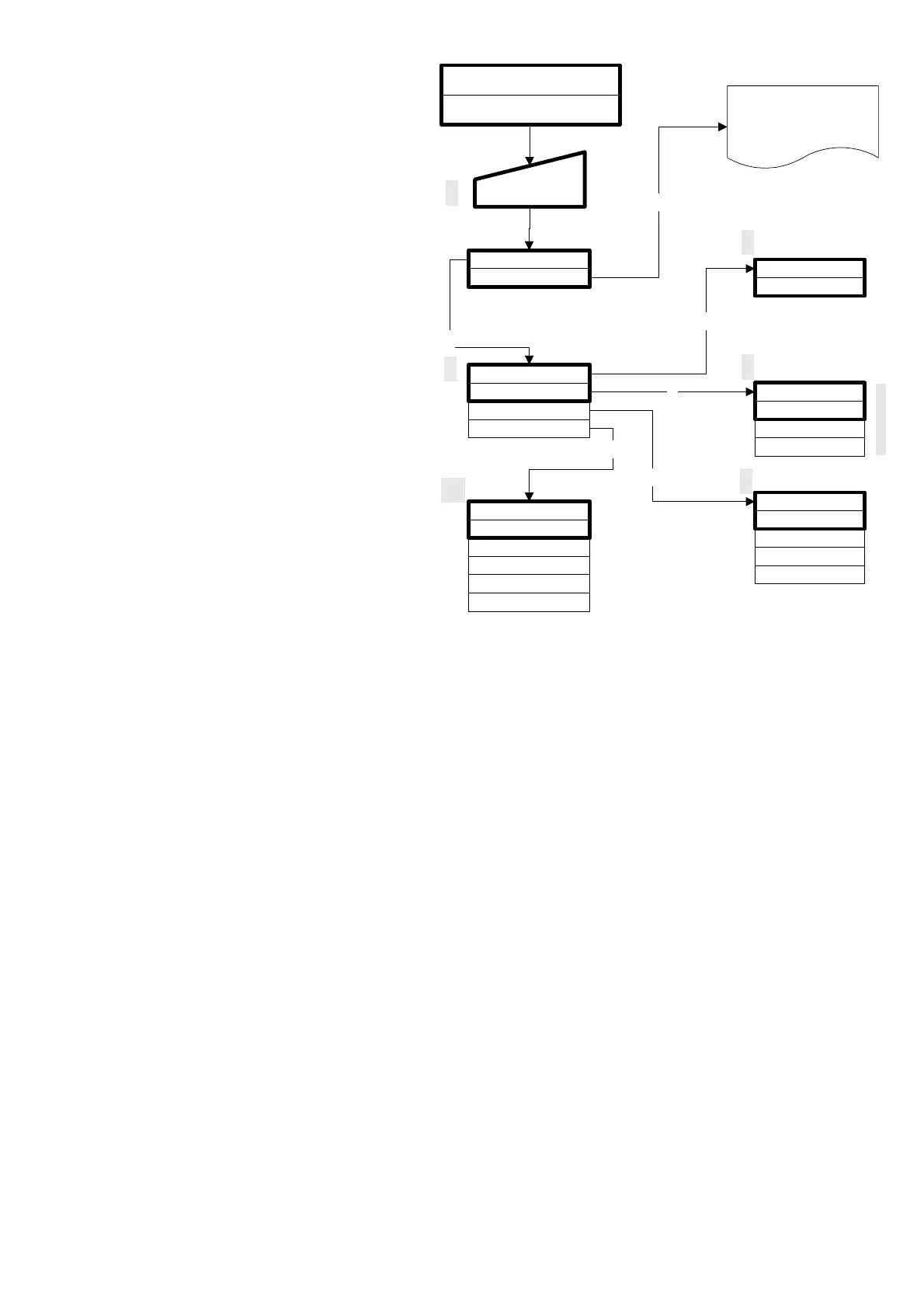
Program Menu "M"
Call (1)
By pressing the "M" key the program menu
"M" is selected.
Except for the basic programming, you can
call up all functions without pass word
protection.
Service I (2)
Input Reagent (3)
After every refill or replacement of the
reagent bottle or of the reagent type, you have
to enter the new level. As soon as the menu
item for the filling level "INPUT REAGENT (0 -
100%)" has been selected by pressing
"ENTER", the value is preset to 100%. If only
a partially filled bottle is connected, enter the
corresponding % value. When you have
connected a full bottle, confirm this value by
pressing "ENTER".
Manual operation (4)
After you have confirmed the information
message (4) by pressing ENTER, you can
select the desired function using the arrow
keys and then activate them by pressing
"ENTER".
These functions are only used for monitoring
the operation and for commissioning.
L All manual functions can only be selected during an interval between two analyses. During manual operation, no
analysis is carried out.
All signal inputs and outputs are locked.
Flush (5)
Start the flushing of the sampling tube through the internal valve by pressing "ENTER". When "ENTER" is pressed
again, this function is terminated.
Flush chamber (6)
By pressing "ENTER", the measuring chamber is flushed once.
Drain chamber (7)
By pressing "ENTER" you open the outlet valve to drain the water from the measuring chamber.
By pressing the "ENTER" key again, this function is terminated.
Fill chamber (8)
When "ENTER" is pressed, the measuring chamber is filled.
Language (9)
Chose language of display.
Diagnosis (10)
You can call up the current status of the signal inputs and outputs from a list.
An active status is marked with a * (see menu structure).
The value of the output OUT corresponts to 1/10 mA (e. g. 150 = 15. 0mA).



 To Next Page