17
EN
5min.
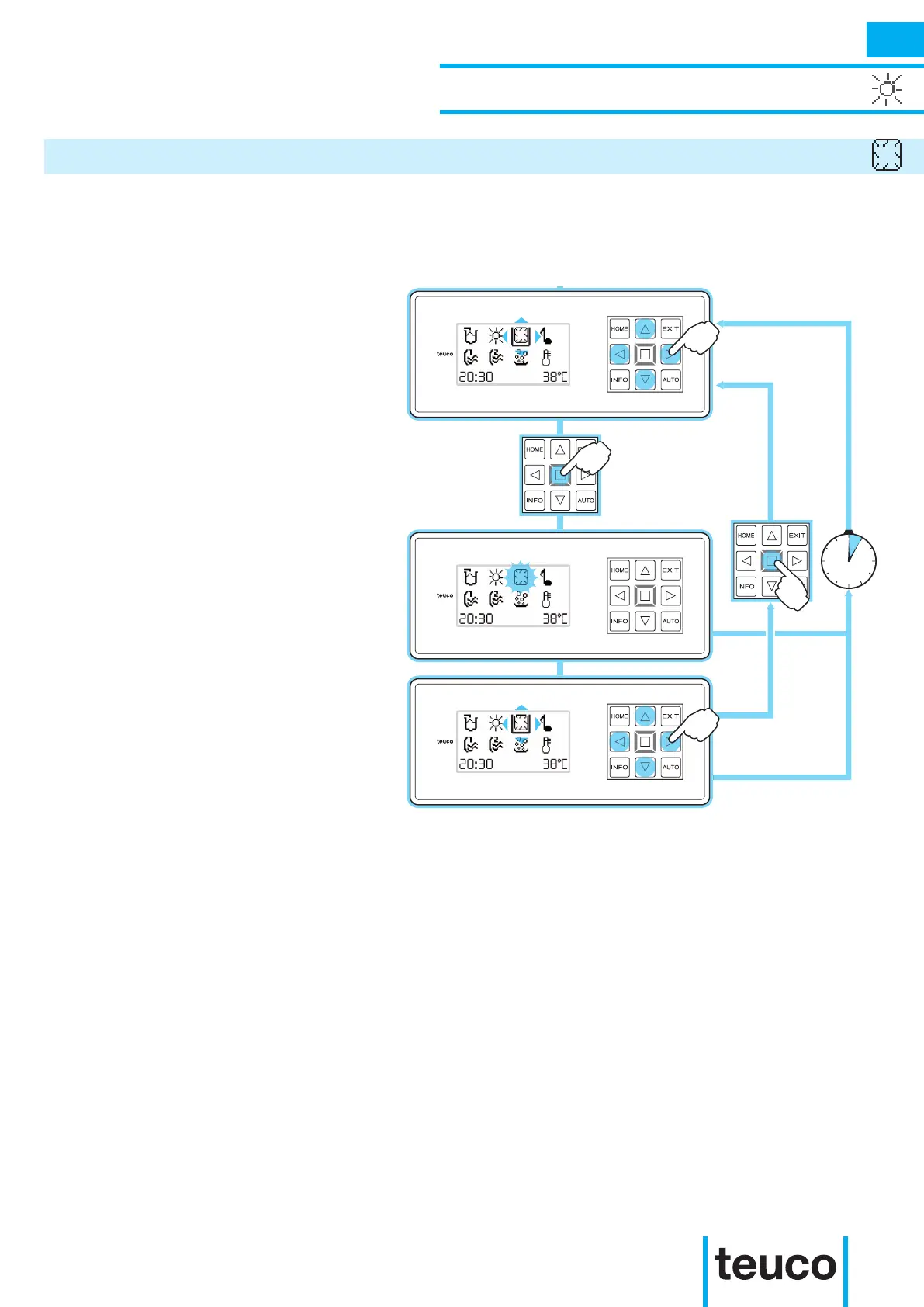
- From the READY MENU, select the
PERIMETER LIGHTING function, using
the arrows to move the cursor and
pressing OK to conrm.
- The PERIMETER LIGHTING will switch
on.
- The ashing icon shows that the
function is operating.
- If no keys are pressed for 5 minutes,
the panel will return to the MAIN MENU.
- To switch off the perimeter lighting,
select the PERIMETER LIGHTING icon,
using the arrows to move the cursor;
press OK to conrm.
- The PERIMETER LIGHTING will switch
off.
- If no keys are pressed for 5 minutes,
the panel will return to the MAIN MENU.
The ambient perimeter illumination is realised using a luminous source that runs along the edge of the
mini-pool and visually separates the product from the support surface.
INSTRUCTIONS FOR USE
LIGHTING FUNCTIONS
PERIMETER LIGHTING



 To Next Page