23
EN
15sec.
5min.
INSTRUCTIONS FOR USE
SPA FUNCTIONS
MASSAGE
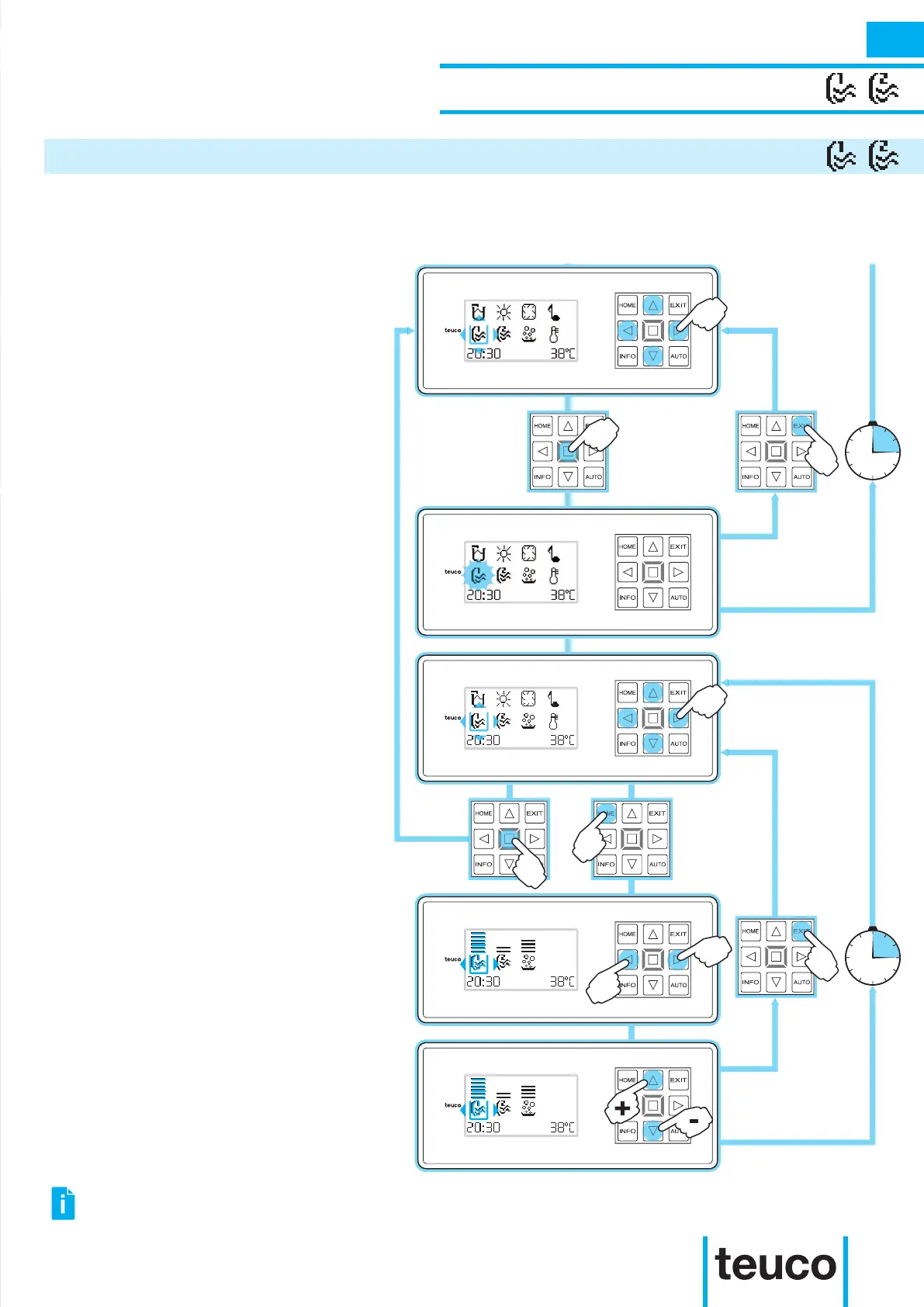
- From the READY MENU select the
MASSAGE icon, using the arrows to
move the cursor and pressing OK to
conrm.
- After a few seconds, the function will
start up.
- The ashing icon indicates that the
function is active.
- To stop the function and return to the
MAIN MENU press EXIT.
- If no buttons are pressed for 5 minutes
the panel will return to the MAIN MENU
mode.
- To switch off the function select the
MASSAGE icon, using the arrows to
move the cursor and pressing OK to
conrm.
- To access the SPEED ADJUSTMENT
MENU select the MASSAGE icon, using
the arrows to move the cursor and
pressing HOME.
- Select the icon for the function for which
the intensity needs adjusting, using the
RIGHT-LEFT arrows.
- Vary the MASSAGE intensity using the
UP-DOWN arrows.
- Press the OK button to conrm and
return to the READY MENU mode.
- If no buttons are pressed for 15 seconds
the panel will return to READY MENU
mode.
The spa system is silent thanks to Hydrosilence, the new system that reduces noise emissions.
It is possible to customise the effect of the massage by changing its capacity.
SPEED CAN ALSO BE ADJUSTED WHEN THE MASSAGE FUNCTIONS ARE SWITCHED OFF.



 To Next Page