26
EN
5sec.
INSTRUCTIONS FOR USE
SECONDARY FUNCTIONS
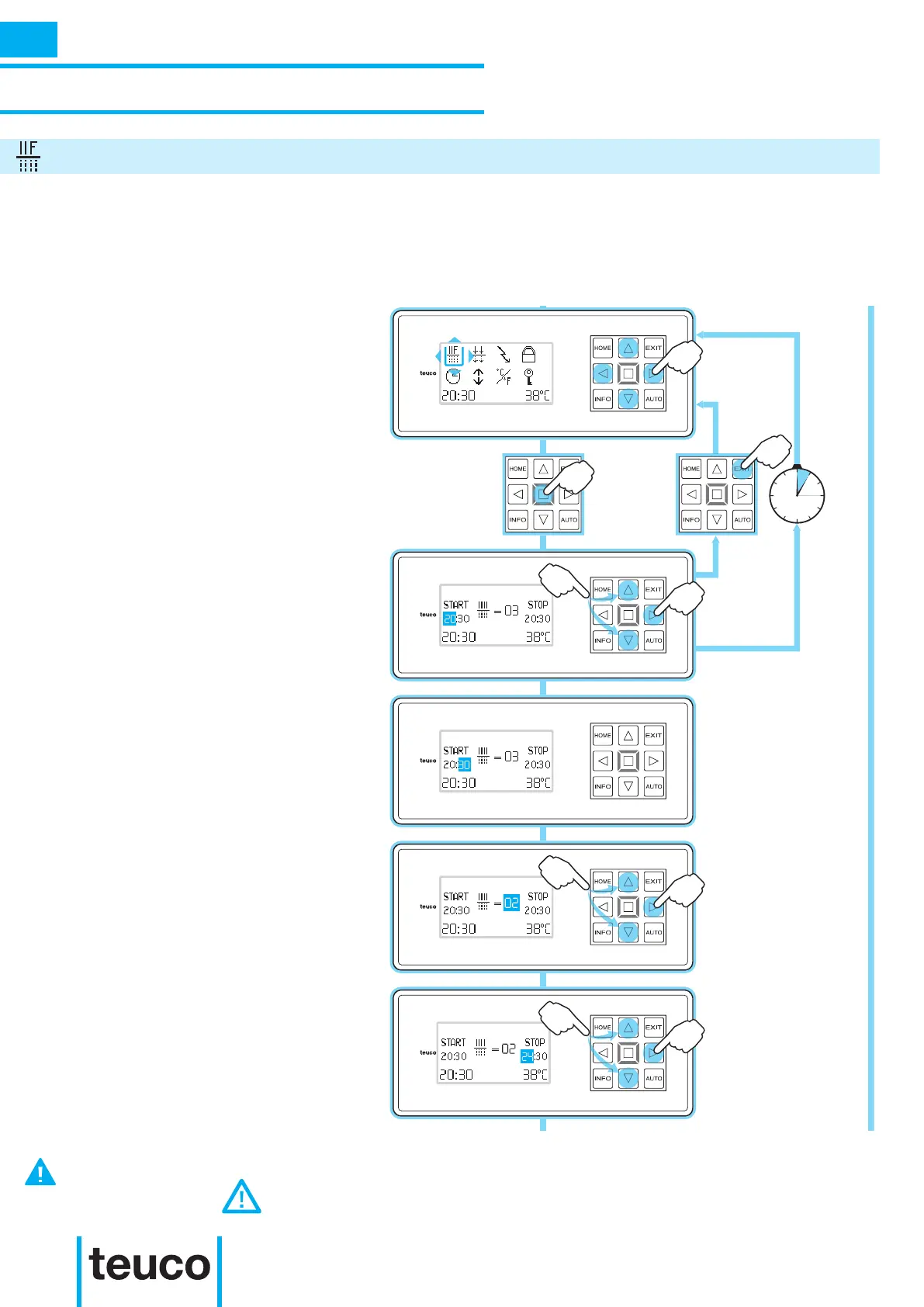
FILTER
- From the INFO MENU select the
FILTER icon, using the arrows to move
the cursor.
- Press OK to conrm and access the
FILTER SUBMENU.
- From the FILTER SUB-MENU, use the
UP-DOWN arrow keys to set the hour for
starting the time period for the ltering
process.
- Press the RIGHT arrow to pass on to
the minutes setting.
- Use the UP-DOWN arrows to set the
minutes.
- Press the RIGHT arrow to pass on to
the lter cycles setting.
- Use the UP-DOWN arrows to set the
lter cycles (min. 2 – max. 24).
- Press the RIGHT key to set the hour for
nishing the time period for the ltering
process.
- Use the UP-DOWN arrows to set the
hour.
- Press the RIGHT arrow to pass on to
the minutes setting.
The FILTER function allows the water to be always correctly ltered and operates automatically in all
water and water massage functions. It is possible to change the number of ltering hours (minimum 2,
maximum 24 depending on the model) from the INFO MENU and also the daily time period in hours for
carrying out the ltering. The system will automatically distribute lter operations evenly through the set
time periods.
INFO
IF A NUMBER OF FILTRATIONS ARE INSERTED THAT ARE INCOMPATIBLE WITH THE TIME PERIOD SET, THE
PANEL VISUALISES



 To Next Page