36
EN
15sec.
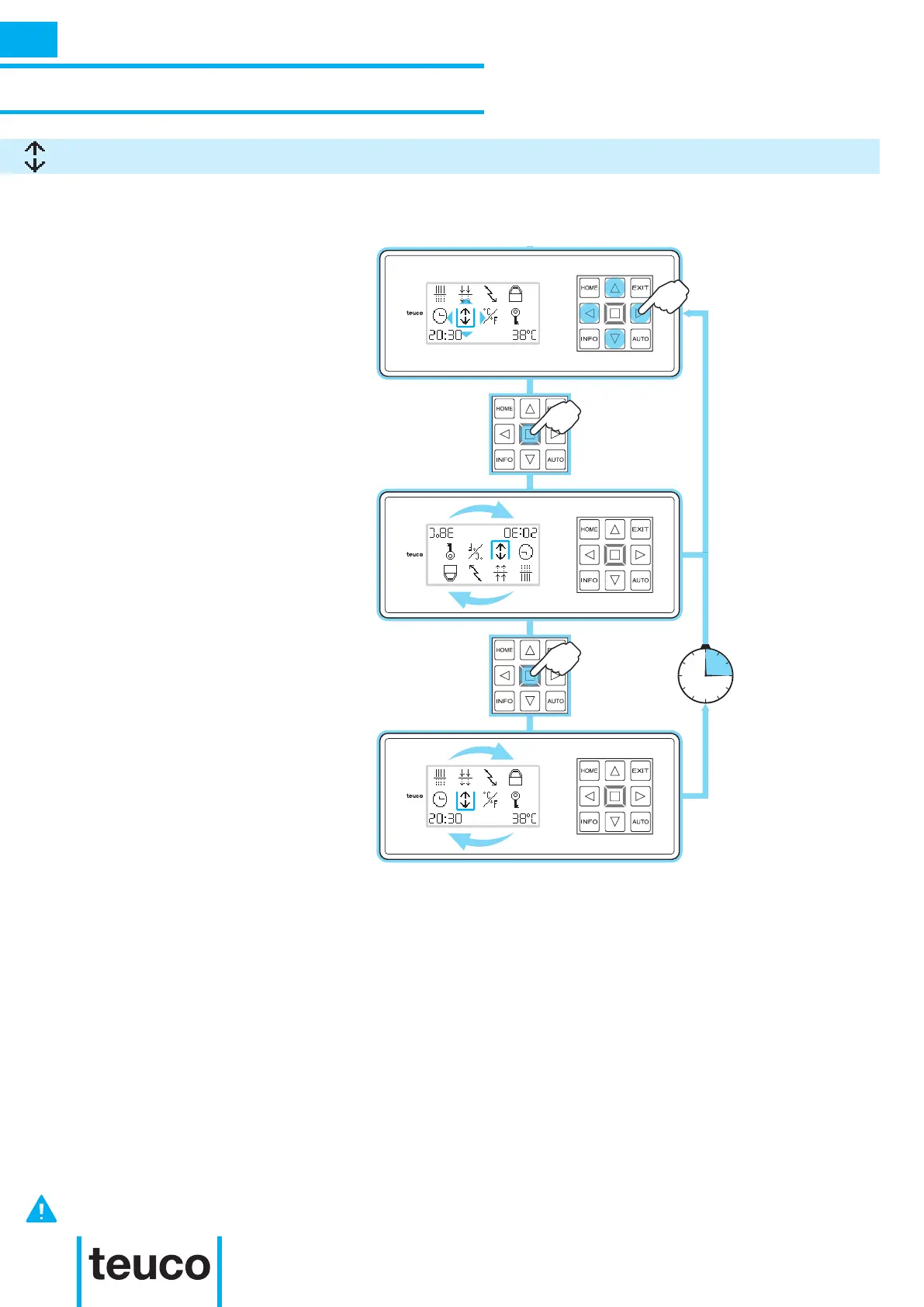
From the INFO MENU select the INVERT
DISPLAY icon, using the arrows to move
the cursor.
- Press OK to conrm.
- The INVERT DISPLAY function will
activate.
- To return to normal viewing, press OK
again.
- If no buttons are pressed for 15 seconds
the panel will return to READY MENU
mode.
The INVERT DISPLAY function serves to invert the display to use it easily from inside and outside the tub.
THE “INVERT DISPLAY” FUNCTION DOES NOT INVERT THE POSITIONS OF THE “HOME”, “EXIT”, “INFO” or
“AUTO” BUTTONS.
INSTRUCTIONS FOR USE
SECONDARY FUNCTIONS
INVERT DISPLAY
INFO



 To Next Page