4 • Stereo L
LINE IN LAN USB
SETUP
BLUETOOTHRESET
STEREO L
LAUTSPRECHER TEUFEL GMBH, BERLIN
5V 500mA
(11)
(12)
(13)
(14)
(15)
(16)
*
)
Music saved on a USB stick is
made available under “My music”
if the stick is connected to the
USB port of the host device. In
the network settings, you can see
which device acts as a host in your
system.
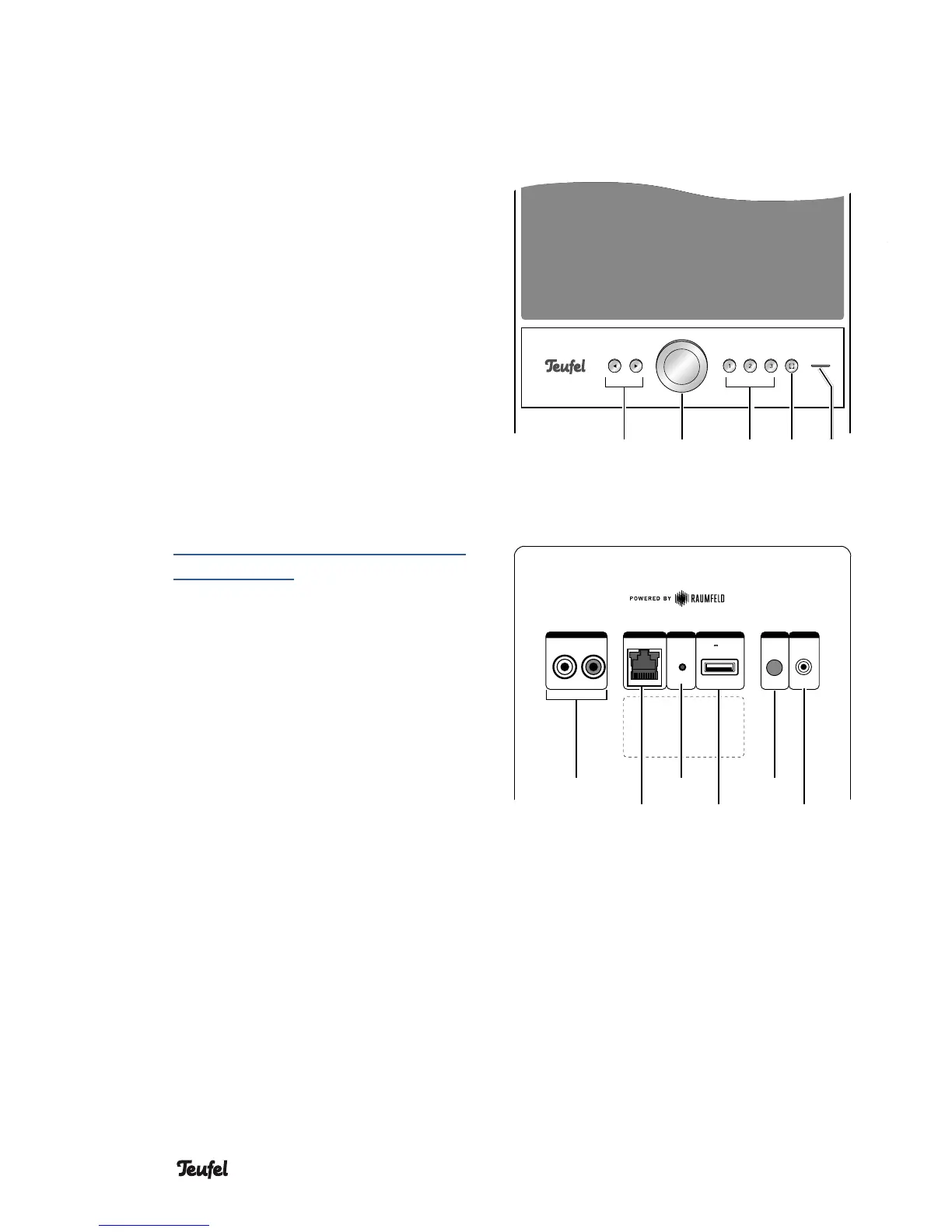
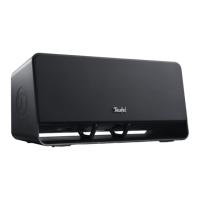
Active speaker
Front side
(6) Skip track forward/back.
(7) Turn: Adjust the volume. Tap:
Pause/play. Push and hold:
Standby
(8) Preset buttons
Push and hold: save current
playback. Tap: play saved music.
(9)
Control button
Tap to switch to the input
LINE IN (11).
Refer to the online documen-
tation for more possibilities to
assign the control button:
http://manual.teufelaudio.com/
controlbutton.
(10) Control LED
Back side top
(11) RCA audio input for external
players via LINE-IN.
(12) Network connection (LAN)
(13) Reset button: hold for 8 seconds
while the device is on to reset
the speaker to the factory
default settings.
(14) USB 2.0 jack: for restoring the
firmware and for sharing music *
)
.
(15) Setup button: push during the
setup process once asked to do
so.
(16) Bluetooth pairing button: push
briefly to set the speaker to
pairing mode.
(6) (9) (10)(8)(7)




 To Next Page