- 12 -
This printer works with most slicing/printing software like Simplify3D, Cura, Repetier-Host, etc.
But we will go in details for Repetier-Host software and tell you how to set it up so that you
can make your first print. First we recommend you to download the software from the official
website: https://www.repetier.com
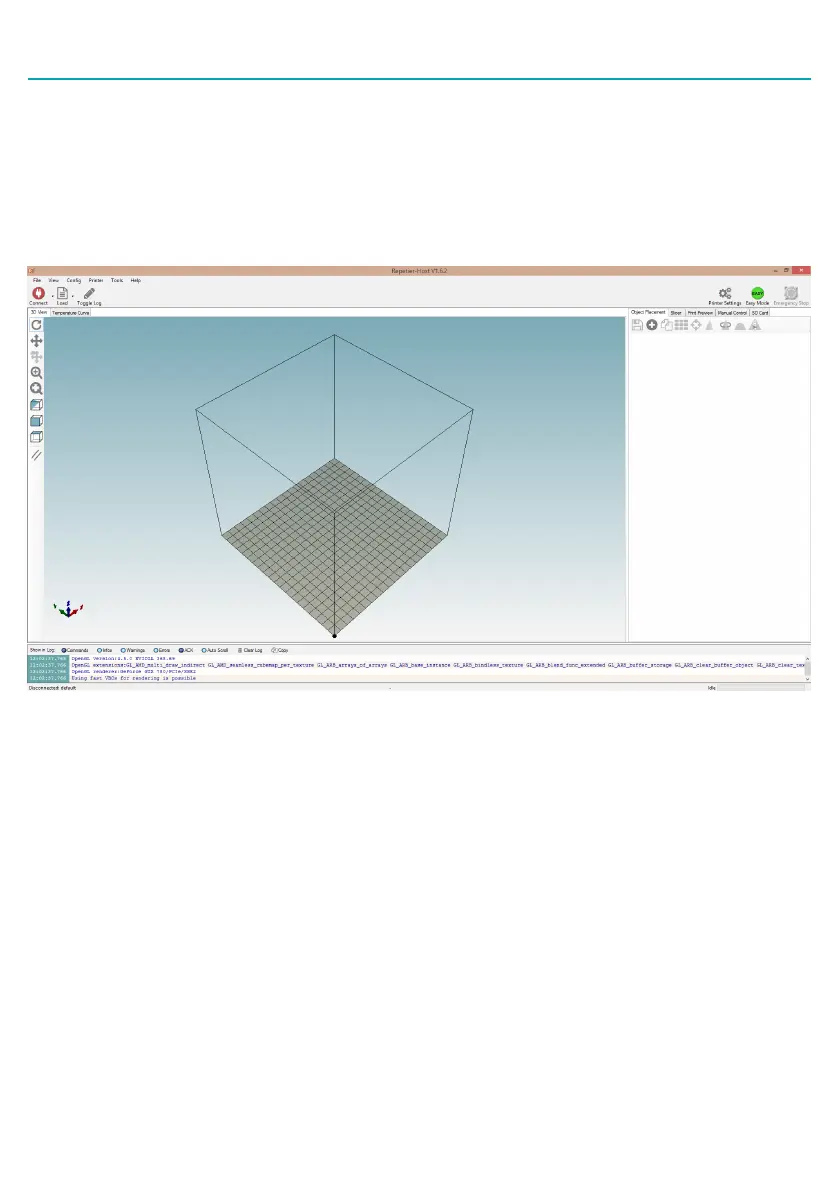
After installation is done and you start the software, you should get the following screen:
Now we have to set up our printer in the settings so that Repetier-Host can connect to it and will
know what size of build area our printer use. Open the Printer Settings window (click Config ->
Printer Settings).
First set Port to whatever port your mainboard uses (when you have connected your printer to PC
it should show up in here). Set Baud Rate to 250000 and DO NOT touch any other settings in this
tab (see picture in next page.)
Preparaing Slicing Soware


 To Next Page