EasyManua.ls Logo

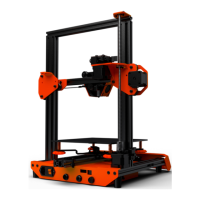
Tevo Tarantula Pro - User Manual

Tevo Tarantula Pro
24 pages
Print Icon
To Next Page IconTo Next Page
Loading...

Questions and Answers

  • J
    James StephensJul 28, 2025
    How to fix Tevo Tarantula Pro 3D Printers when file read is garbled?
    • J
      John MooreJul 29, 2025
      If your Tevo 3D Printer is reading files garbled, but other files print okay, try these steps: First, clean the SD card. If that doesn't work, format the SD card. As a last resort, try changing to a different SD card.
  • Q
    qorrAug 12, 2025
    Why Tevo Tarantula Pro 3D Printers can’t read file name?
    • K
      Karen SalasAug 12, 2025
      To address file name issues with your Tevo 3D Printer, change the file name into English or numbers.

Summary

Safety and Initial Setup

Hazards and Warnings

General safety precautions for the 3D printer operation and handling.

Burn Hazard

Warning about touching hot extruder nozzle, heater block, or extruded filament.

Fire Hazard

Caution against placing flammable materials near the printer when powered on.

Pinch Hazard

Warning to avoid fingers near moving parts like belts, pulleys, and gears.

Printer Specifications

Technical Specifications

Detailed technical specifications for the Tarantula Pro 3D printer.

Bottom Frame Assembly A-01

Hotbed Assembly

Z Axis Assembly B07

Z Axis Assembly Motor and Connection

Bed Leveling

Prepare Slicing Software

Slicing Software Printer Settings

Slice 3 D Object for SD Print

Slice 3 D Object for SD Print Saving

How to Flash Firmware

Troubleshooting

Tevo Tarantula Pro Specifications

General IconGeneral
BrandTevo
ModelTarantula Pro
Category3D Printers
LanguageEnglish

Related product manuals