35 36
Prepare Slicing Software
Prepare Slicing Software
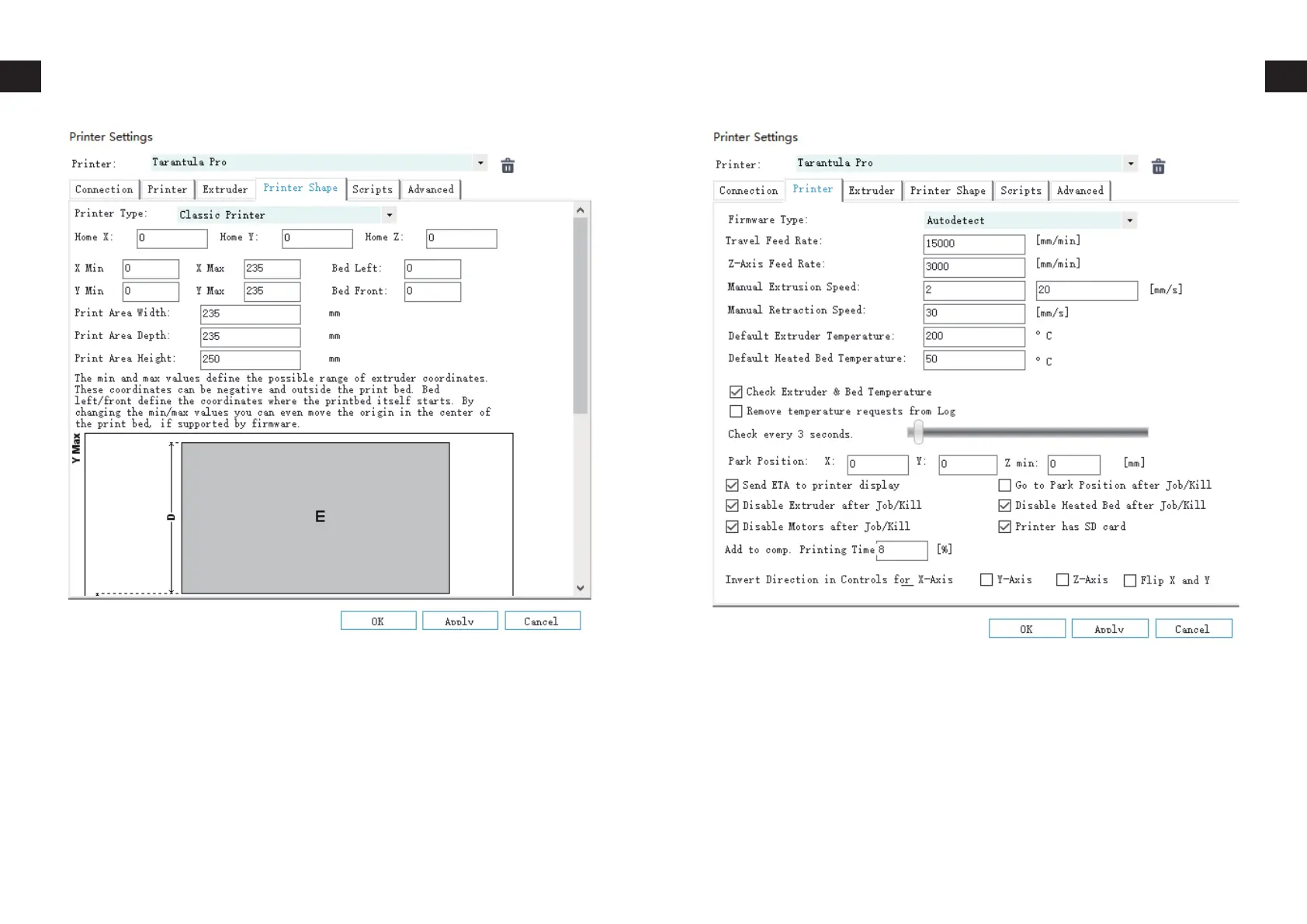
Go to Printer tab, change the following values:
Travel Feed Rate – 15000
Z-Axis Feed Rate – 15000
Manual Extrusion Speed – 2 / 20
Manual Retraction Speed – 30
Default Extruder Temperature – 200
Default Heated Bed Temperature – 55
Then click on OK to save the settings.
On Repetier-Host main screen, click on Slicer tab on the right. Choose
Slic3r from Slicer drop-down then click on Configuration button.
On Slic3r window, click on File -> Load


 To Next Page