March 2009 SNAU028A 13
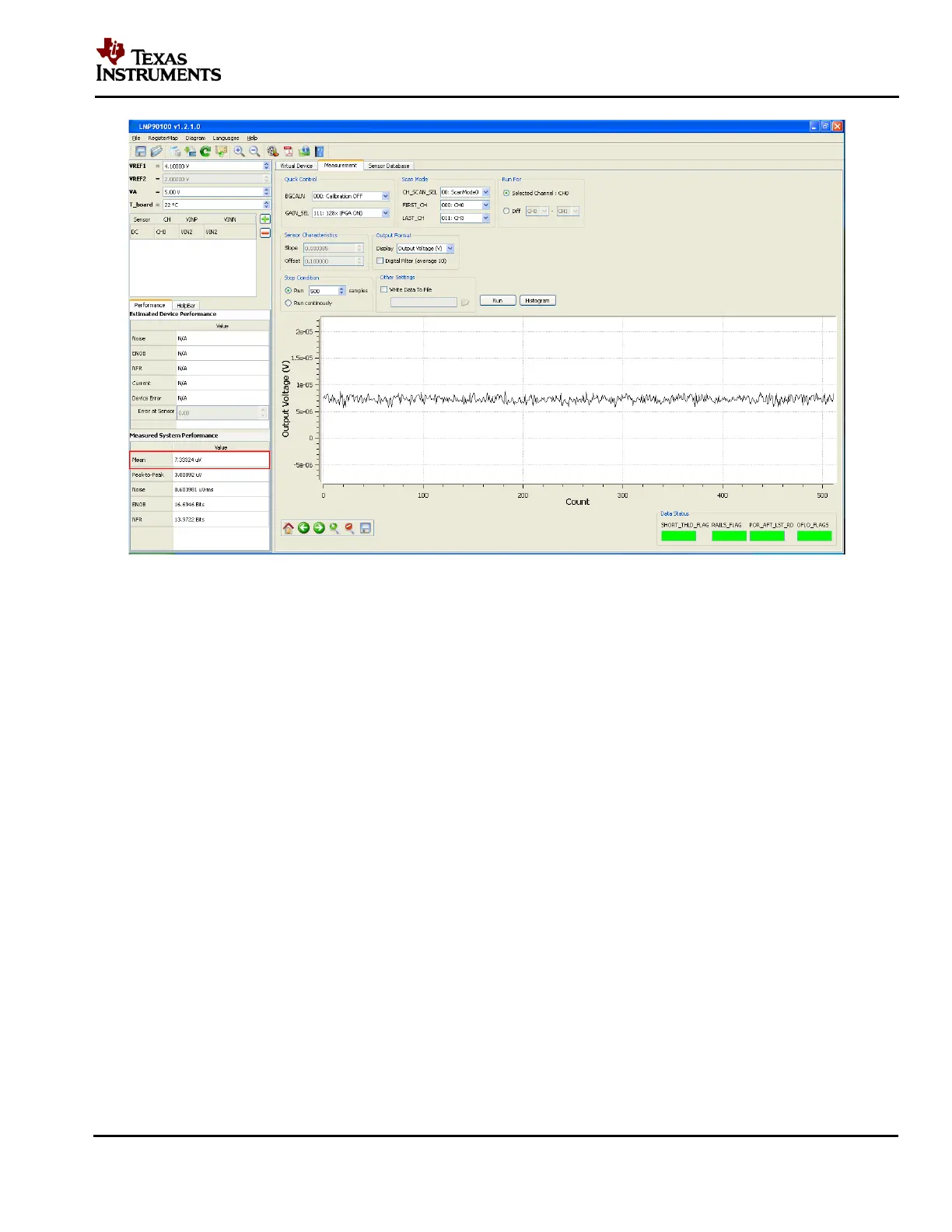
Figure 11 - Results for Shorted Input Test without Calibration
F. Capturing Data with Calibration
1. In the “Measurement” tab, go to “Quick Control BGCAL_MODE” and change the
background calibration to “001: Offset Cor / Gain Est”.
2. Click on the “Run” button again to view the output voltage results. A mean output reading
closer to 0V should be plotted similar to Figure 12. This decrease in the mean output reading
demonstrates the LMP90100 offset calibration feature.











 To Next Page