March 2009 SNAU028A 27
8. Step 8: Int/Ext CLK? – click on the “CLK MUX” block and make sure the internal clock is
selected.
9. Step 9: Performance - click on the “Performance” mini-tab. This tab displays the Estimated
Device Performance base on the block diagram that you’ve configured, as well as the
Measured System Performance if you’ve connected a board and ran the LMP90100.
F. Capturing Data
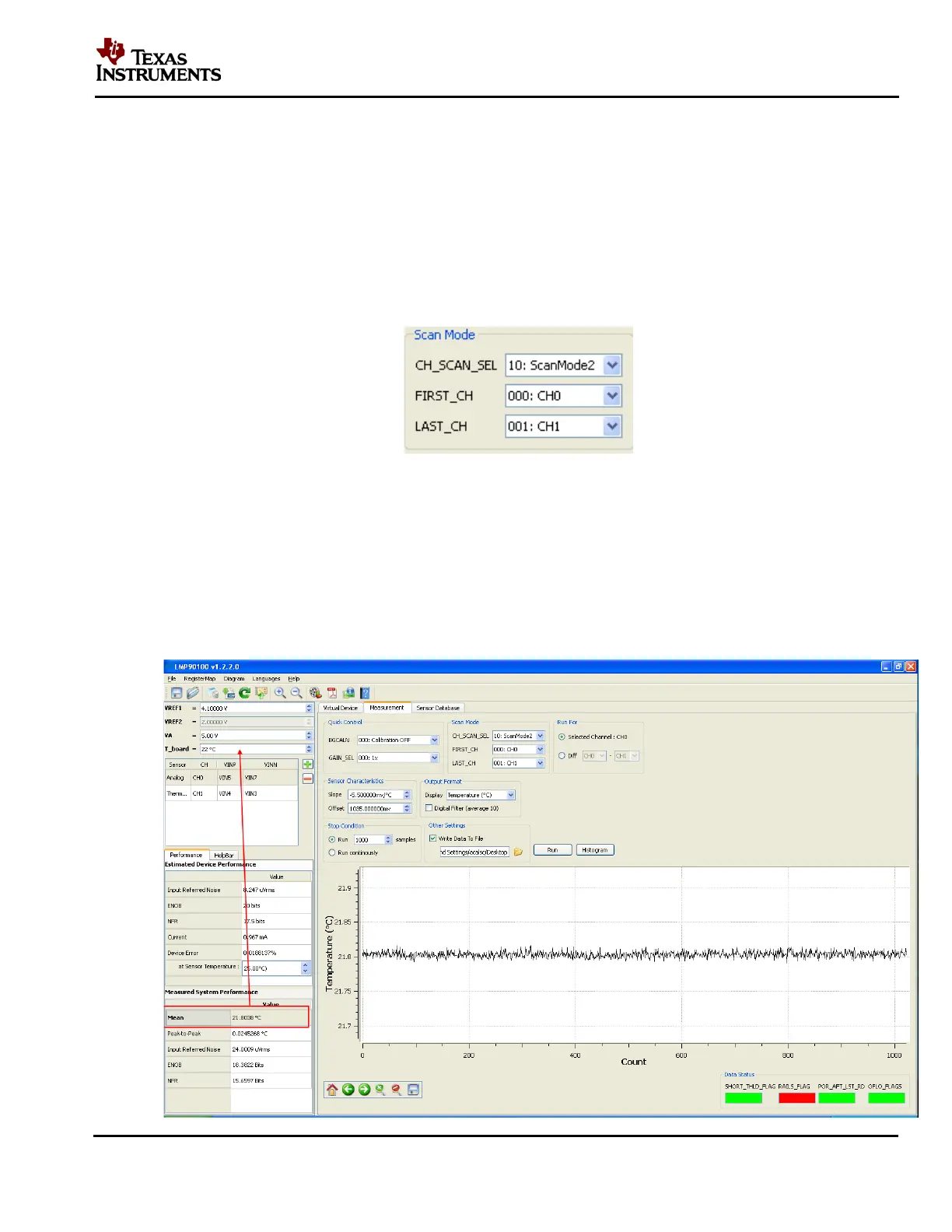
1. Click on the “Measurement” tab and set the “Scan Mode” as follows:
Figure 24 - Scan Mode Settings
2. Under the “Output Format” field, select Display “Temperature (C)”
3. Under the “Run For” field, plot the “Selected Channel: CH0”
4. Under the “Stop Condition” field, select Run “1000 Samples”.
5. Click on the “Run” button to capture the temperature (Tcold) reading from the LM94022
(see figure below).











 To Next Page