TIp 5: Adjusting the Viewing Window
Fundamental Topics in Science © 2001 Texas Instruments
TIp 5-2
Try-It!
Ë
on Your TI
83 Plus
Enter the Function
Enter
Y
1
=50X
in the Y= editor (
&
). See
TIp 3:
Graphing a Function in the Standard Window
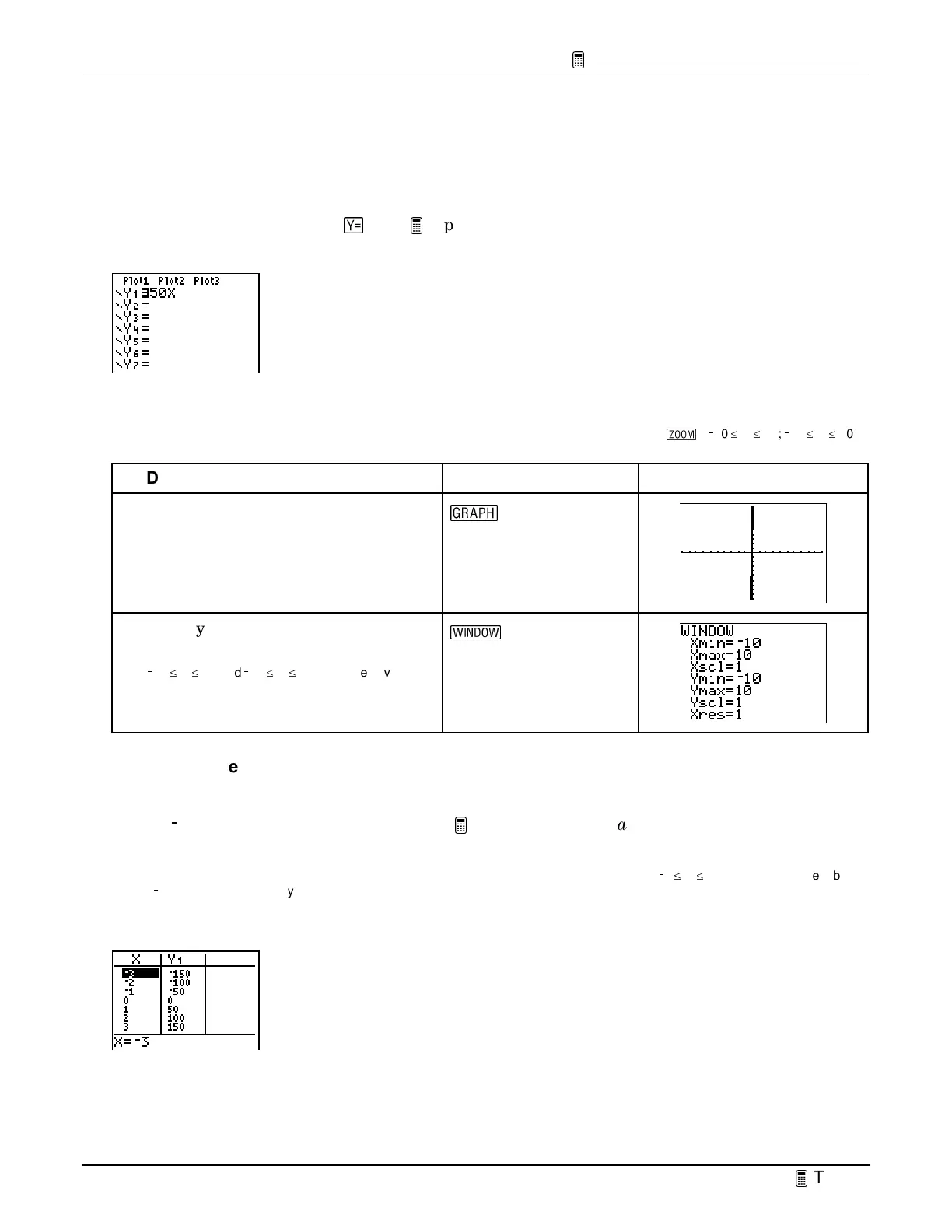
for step-by-step instructions for defining functions. Your Y= editor should look like this.
Display the Function on the Graph Screen
Note
: The window values shown here are the default window values, also equivalent to
ZStandard
(
(
)
(
/
10
^
X
^
10;
/
10
^
Y
^
10).
To Do This Press Display
1. Graph
Y
1
.
V
2. Display the window settings menu.
Note:
This window shows (
X
,
Y
) values so that
/
10
^
X
^
10 and
/
10
^
Y
^
10. This is equivalent to
the default
ZStandard
setting.
'
Define a Different Viewing Window for Your Graph
View the table of (
X,Y
) values created by
Y
1
=
50X
to help you redefine window values. Start the
table at
/
3 and increment the values by 1. See
TIp 4:
Creating a Table
for step-by-step
instructions for creating a table.
Tip:
You can choose any
X
values for the table. For this exercise, you view a table of values when
/
3
c
X
c
3. When you set the table to
start at
/
3 with increments of 1, you can see the relationship between
X
and
Y
near the origin of the graph.
Your table should look like this:



 To Next Page
 Loading...













