EasyManua.ls Logo

Texas Microsystems, Inc. 2003 - Page 18

Default Icon
44 pages
Print Icon
To Next Page IconTo Next Page
To Previous Page IconTo Previous Page
Loading...
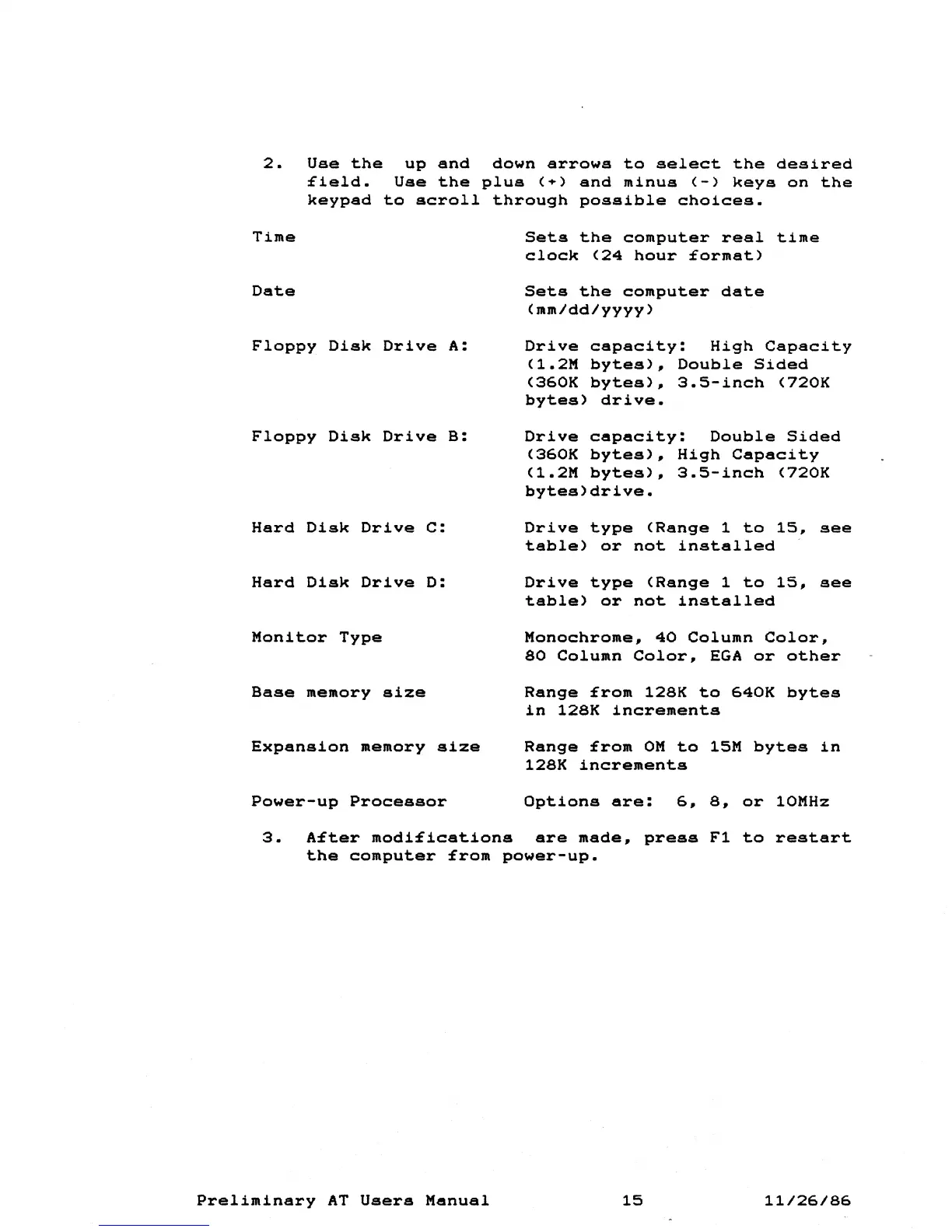
2.
Use
the
up
and
down
arrows
to
select
the
desired
field.
Use
the
plus
(~)
and
minus
(-)
keys
on
the
keypad
to
scroll
through
possible
choices.
Time
Sets
the
computer
real
time
clock
(24
hour
format)
Date
Sets
the
computer
date
(mm/dd/yyyy)
Floppy
Disk
Drive
A:
Floppy
Disk
Drive
B:
Hard
Disk
Drive
C:
Hard
Disk
Drive
D:
Monitor
Type
Base
memory
size
Expansion
memory
size
Power-up
Processor
Drive
capacity:
High
Capacity
(1.2M
bytes)~
Double
Sided
(360K
bytes),
3.5-inch
(720K
bytes)
drive.
Drive
capacity:
Double
Sided
(360K
bytes),
High
Capacity
(1.2M
bytes)~
3.5-inch
(720K
bytes)drive.
Drive
type
(Range
1
to
15,
see
table)
or
not
installed
Drive
type
(Range
1
to
15,
see
table)
or
not
installed
Monochrome~
40
Column
Color,
80
Column
Color,
EGA
or
other
Range
from
128K
to
640K
bytes
in
128K
increments
Range
from
OM
to
15M
bytes
in
128K
increments
Options
are:
6~
8,
or
10MHz
3.
After
modifications
are
made,
press
Fl
to
restart
the
computer
from
power-up.
Preliminary
AT
Users
Manual
15
11/26/86