MANUAL P/N 900000165 REV H
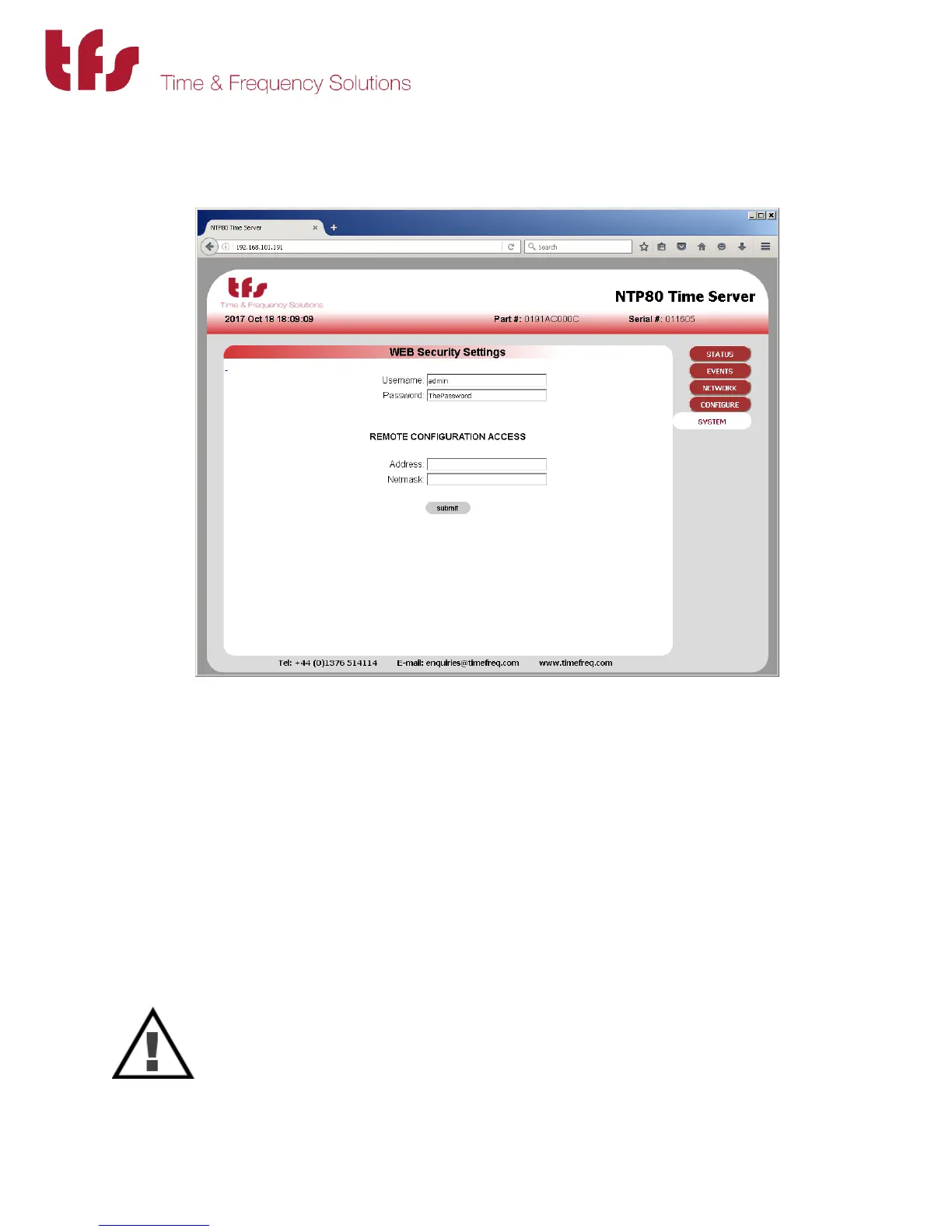
5.1 System Security
The login credentials, username and password, are set here. If they are removed then the
security is disabled. Do not lose these details. If they are lost then the unit will have to be
restarted and the factory defaults restored using the user interface port.
The remote configuration access limits access of the web interface to an IP address or a range
of IP addresses. Be extremely careful when setting these values since it is possible to lock out all
access. The address and the subnet mask MUST agree.
To restrict access to a subnet, for example 192.168.101.x then 192.168.101.0/255.255.255.0
can be entered for the address and netmask. For the default factory network settings this
would mean that only users on port ETH1 could access the web interface.
To restrict access to a single host, for example 192.168.101.1 then
192.168.101.1/255.255.255.255 can be entered for the address and netmask. Then only this
host can use the web interface.
CAUTION
There must not be any discrepancy with subnet mask and IP address, for example
if 192.168.101.1 had been entered with a subnet mask of 255.255.255.0 all access
would be denied as there are no addresses that can meet this configuration. To
recover from lock-out the unit will have to be restarted and the factory defaults
restored using the user interface port.



 To Next Page