— E17 —
Operation
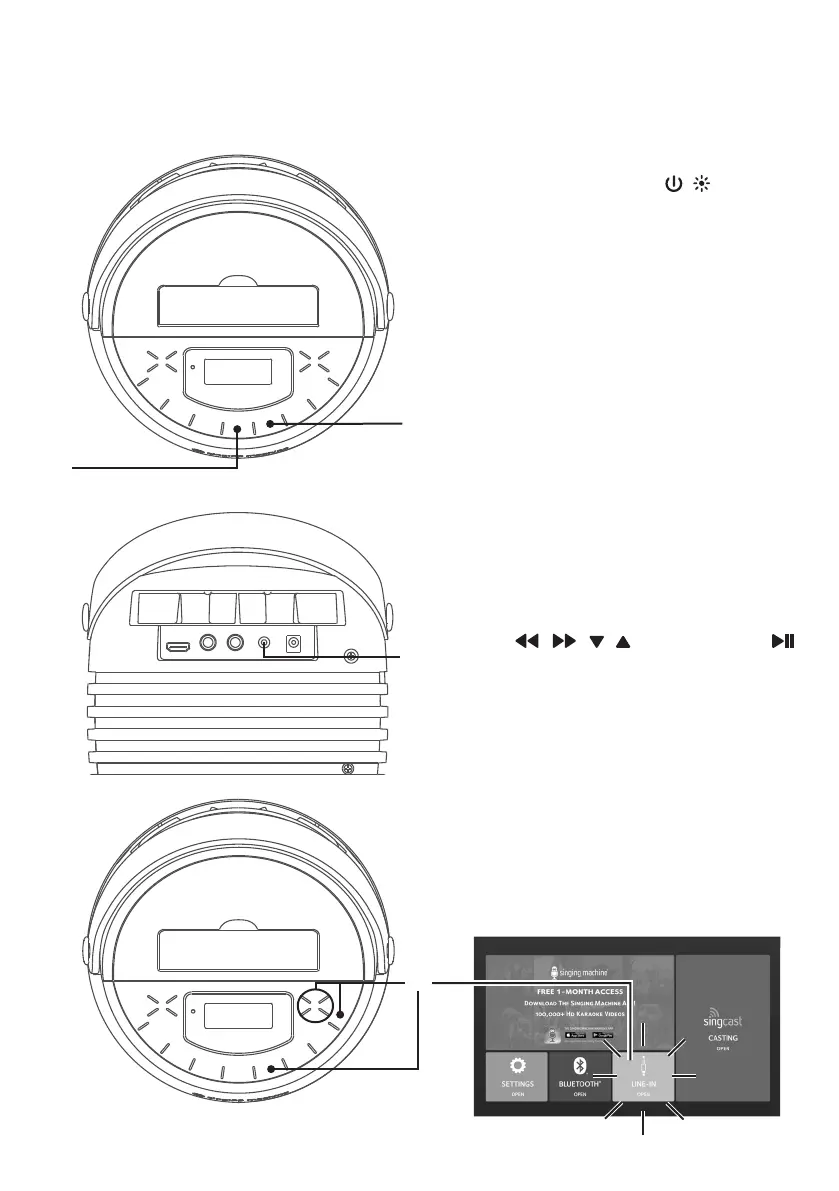
Using the AUX IN Jack
1
Connect the unit as described
previously. Press the / button to
turn the unit on. The power indicator
will light.
2
Connect the external unit to the AUX
INPUT Jack using a 3.5mm auxiliary
audio cable (not included). Connecting
an external unit will allow the audio
to be played through your Singng
Machine.
NOTES:
• It is highly recommended to set the
volume on the auxiliary unit to 1/3 or
lower to avoid distortion.
• Skipping files/tracks is not possible in
this unit when using an external device.
3
Press the AUX button or using the
, , , Navigation and
button to select the AUX-IN
OPEN in the main menu (the unit
should be connected to a TV);
“AUX” flashes on the display.
w
v
u
v











 To Next Page