Therm-App MD User Manual
-------------------------------------------------------------------------------------------------------------------------------------------------------------------------
------------------------------------------------------------------------------------------------------------------------------------------------------------
Page 11 of 23
5.3 Main Therm-app
®
Settings Menu
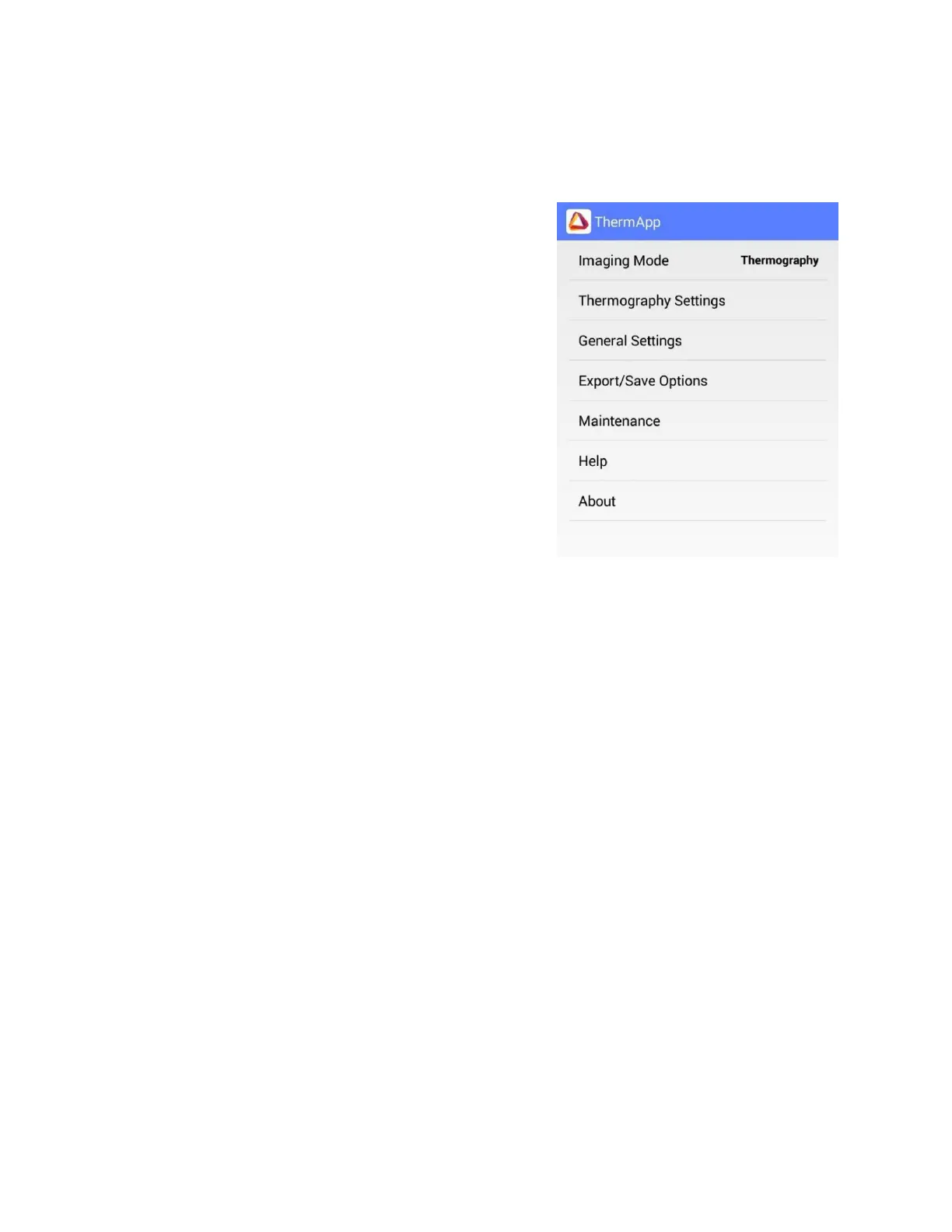
Tap the Settings button located on the upper toolbar.
The settings screen includes:
◼ Imaging Mode – Switches between "Night Vision"
and "Thermography" modes.
◼ Thermography Settings – Enables selection of
temperature units, emissivity, reflected
temperature, and camera output options (available
only when in "Thermography mode").
◼ General Settings – See page 12 for full menu
description.
◼ Export/Save Option – Select how photos and videos
will be saved. (See page 12 for full walkthrough).
◼ Maintenance – Performs bad pixel repair and resets
all parameters to default.
◼ Help – Link to User Manual, Therm-App® Support,
and Terms of Use.
◼ About – General application and device version
information.


 To Next Page