Therm-App MD User Manual
-------------------------------------------------------------------------------------------------------------------------------------------------------------------------
------------------------------------------------------------------------------------------------------------------------------------------------------------
Page 6 of 23
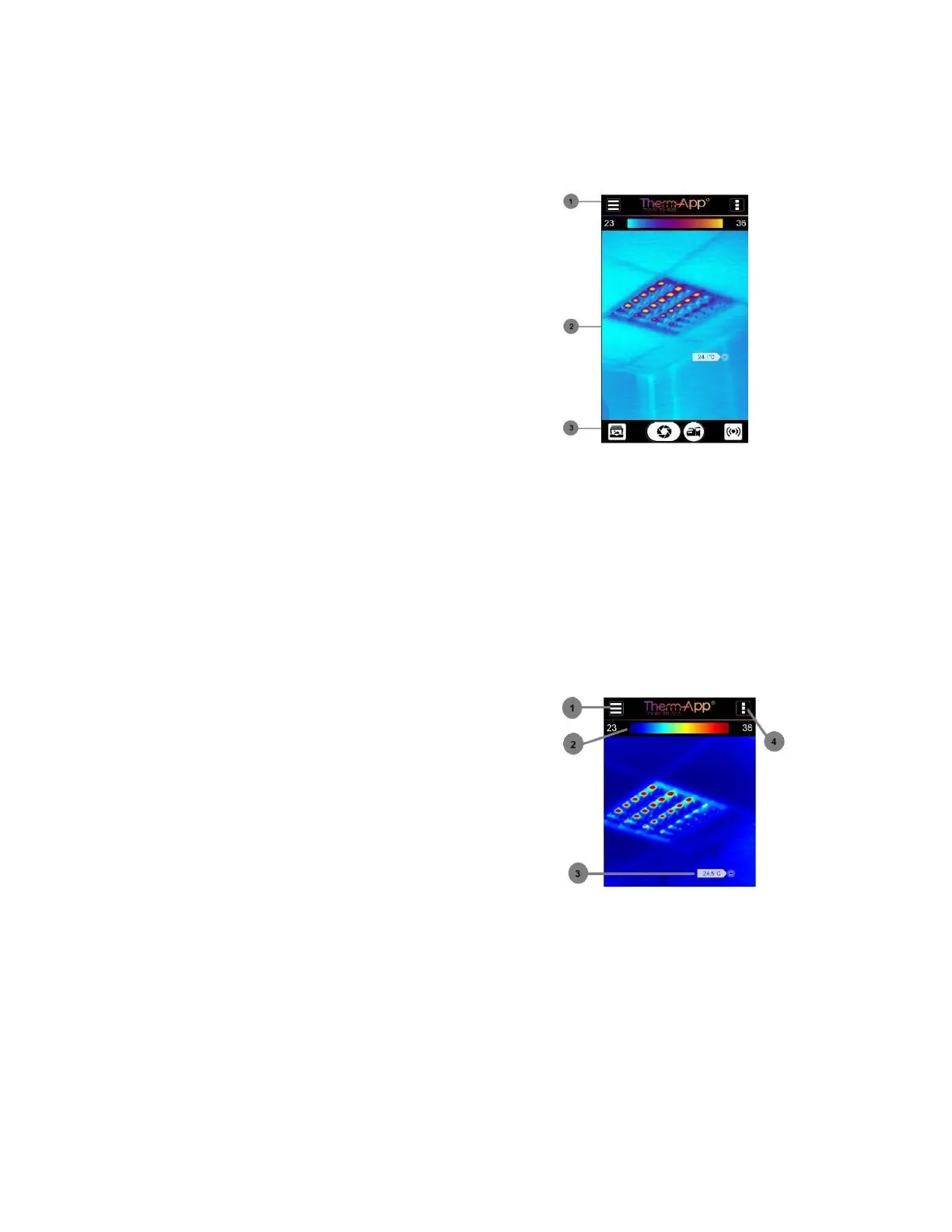
4.3 App Screen Layout
4.4 Upper Toolbar
Settings button [1] – For configuring
Therm-App® settings
Temperature bar (Thermography mode)
[2] – Presents the range of temperatures
currently being viewed. The minimum and
maximum temperatures are displayed on both
sides of the bar.
Temperature reading (Thermography
mode) [3] – Displays the temperature at the
selected point on the screen (marked by a little
box).
Quick Settings Menu [4] – Allows
selection of mode, emissivity, temperature alerts,
and palette.


 To Next Page