Therm-App MD User Manual
-------------------------------------------------------------------------------------------------------------------------------------------------------------------------
------------------------------------------------------------------------------------------------------------------------------------------------------------
Page 4 of 23
4 Application Operation
4.1 Initialization
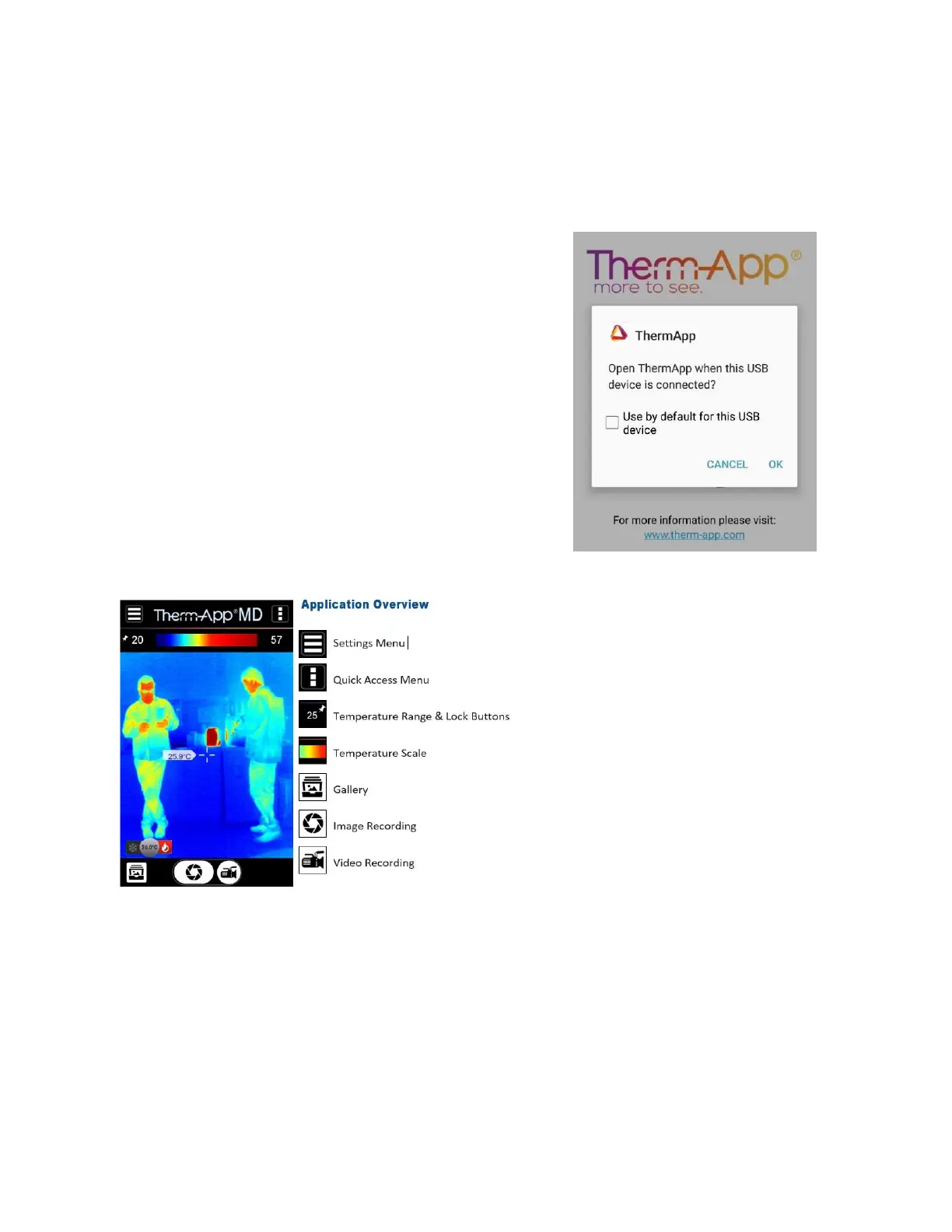
When first connecting Therm-App® to the
Android device, proceed as follows:
Select Use by default for this USB device
checkbox and tap OK. The Therm-App®
application will automatically start and display
the Terms and conditions screen.
Review and accept the Terms and Conditions.
The application will download the calibration files
(a download progress bar will appear on the
screen).
While operating Therm-App®, you can change
modes between Night Vision and Thermography.


 To Next Page