
 Need help?
Do you have a question about the Therm-App MD and is the answer not in the manual?
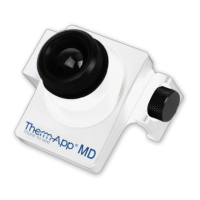
Details the Therm-App MD as an Android-supported thermographic imaging device for EBT measurement.
States the Therm-App MD is not a medical diagnostic tool and requires double-checking.
Steps for installing the Therm-App application on an Android device.
Steps for connecting the device, accepting terms, and initial setup.
Identifies the main components of the application screen: upper toolbar, image display, and lower toolbar.
Explains the settings button, temperature bar, and quick settings menu in the upper toolbar.
How to switch between standard and full screen modes for better viewing.
Describes using pinch gestures for zooming and panning the thermal image.
Recommendations for ambient temperature and device warm-up time for accurate measurements.
Covers settings like disabling screen timeout, gain limit, and alert mode configuration.
Explains detection duration, alert delay, recording time, and object size for alerts.
Options for setting viewing orientation for live screens, videos, and snapshots.
How to record IR images or screen, with optional audio recording, and enable live streaming.
Information on saving and exporting photos and videos, including Dropbox integration.
Instructions for running bad pixel repair and restoring factory settings.
Options for accessing the manual, support, and terms of use.
Displays serial number, application, firmware, and hardware versions.
Details warranty terms, exclusions, disclaimers, and license grants for the product.
Guidance on safely attaching the product and information about factory calibration.
Recommendations for accurate measurements and proper disposal of electronic waste.
Key safety warnings including FCC compliance, handling, lens care, power, environmental limits, and laser/sun pointing.
 General
| Brand | Therm-App |
|---|---|
| Model | MD |
| Category | Thermal cameras |
| Language | English |

 To Next Page
