11 12
English /
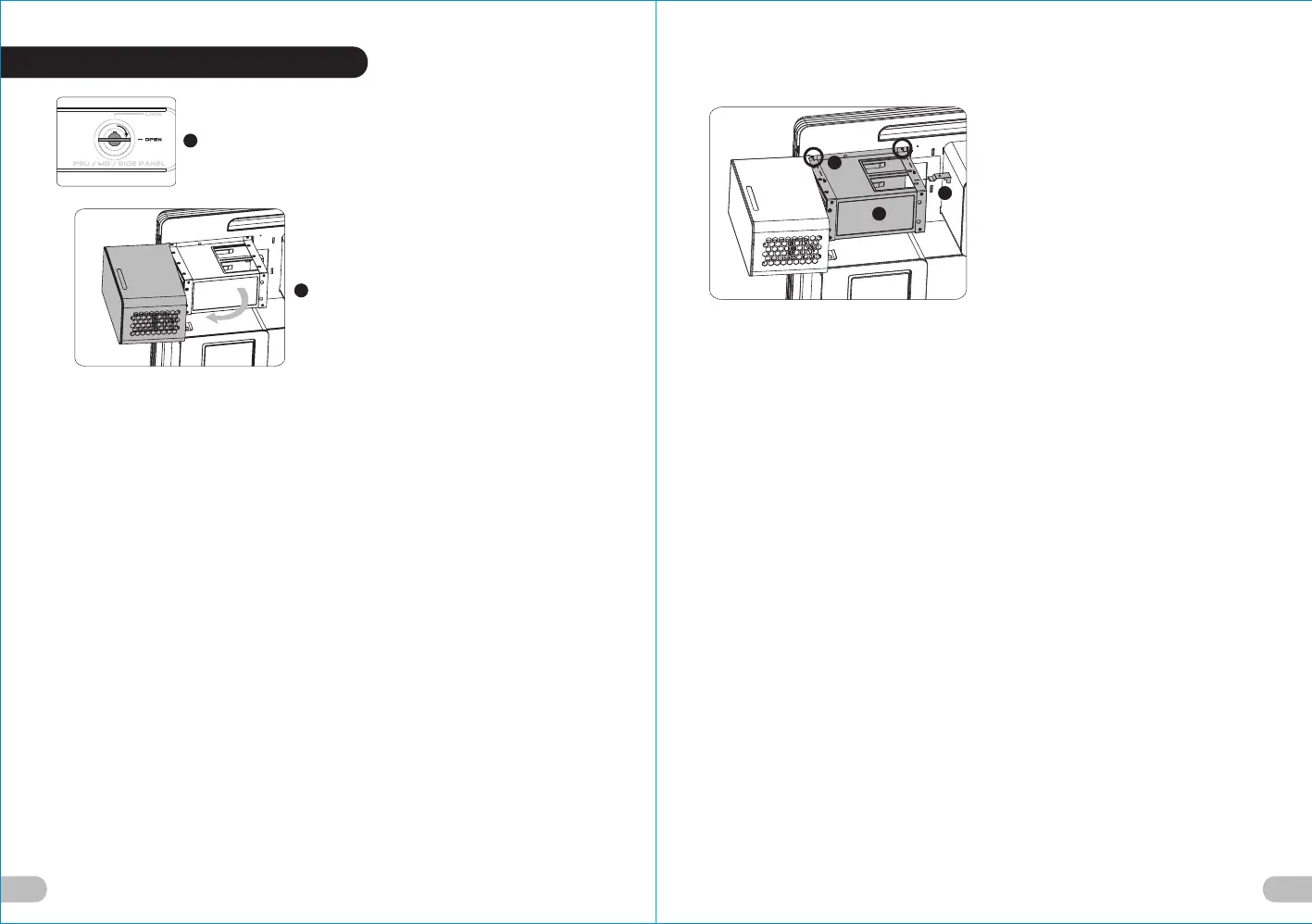
1.Turn the keyhole of the side panel
PSU/MB/SIDE PANEL into the OPEN
position using the key.
2.Open the power supply cover.
Deutsche /
1. Drehen Sie die Schlüsselaufnahme an der
Seite des Gehäuses PSU/MB/SIDE PANEL
mithilfe des Schlüssels in die
Position OPEN.
2. Öffnen Sie die Netzteilabdeckung.
Français /
1. Tournez la boutonnière du panneau latéral
BLOC D’ALIMENTATION/CARTE MERE/
PANNEAU LATERAL dans la position
OUVERTE à l’aide de la clé.
2. Ouvrez le couvercle du bloc d’alimentation.
Español /
1. Gire la cerradura del panel lateral PSU/MB/
SIDE PANEL a la posición OPEN
utilizando la llave.
2. Abra la cubierta de la fuente de
alimentación.
Italiano /
1. Ruotare l'incavo per la chiavetta del
pannello laterale PSU/MB/SIDE PANEL
in posizione OPEN (APERTO) usando la
chiave.
2. Aprire il coperchio dell’alimentatore.
繁體中文 /
1. 用鑰匙將側板PSU/MB/SIDE PANEL
鎖孔轉至OPEN位置.
2. 轉開電源供應器裝置外蓋.
日本語 /
1. キーを使って、側面パネルのPSU/MB/
SIDE PANELのキー穴を「開放」位置ま
で回します.
2. 電源装置カバーを開けます.
Русский /
1. Поверните отверстие под ключ на
боковой панели PSU/MB/SIDE PANEL
(БП/МП/БОКОВАЯ ПАНЕЛЬ) в
положение OPEN (ОТКРЫТО) с
помощью ключа.
2. Откройте крышку блока питания.
简体中文 /
1. 用钥匙将侧板PSU/MB/SIDE PANEL锁孔
转至OPEN位置.
2. 转开电源供应器装置外盖.
Türkçe /
1. Anahtarı kullanarak yan panelin PSU/MB/
SIDE PANEL deliğini OPEN (açık)
konuma getirin.
2. Güç kaynağı kapağını açın.
English /
3. Unscrew the two screws from the
power supply holder using the
screwdriver.
4. Remove the holder along the hooks.
5. Remove the stops from the holder.
Deutsche /
3. Lösen Sie die zwei Schrauben vom
Netzteilhalter mit einem
Schraubendreher.
4. Entfernen Sie den Halter an den
Aufhängungen.
5. Entfernen Sie die Stopper vom Halter.
Français /
3. Dévissez les deux vis du support du bloc
d’alimentation à l’aide du tournevis.
4. Retirez le support le long des crochets.
5. Retirez les butoirs du support.
Español /
3. Desatornille los dos tornillos del
soporte de la fuente de alimentación
con un destornillador.
4. Retire el soporte a lo largo de los
ganchos.
5. Retire los topes del soporte.
Italiano /
3. Svitare le due viti dal supporto
dell’alimentatore utilizzando il
cacciavite.
4. Rimuovere il supporto lungo i ganci.
5. Rimuovere i fermi dal supporto.
繁體中文 /
3. 用螺絲起子卸下電源供應器支架上兩顆
螺絲.
4. 將電源供應器支架沿卡勾處取下.
5. 取下電源供應器支架上之固定檔片.
日本語 /
3. ドライバーを使って、電源装置のホルダ
ーから2本のねじを外します.
4. フックに沿ってホルダーを取り外します.
5. ホルダーから止め具を取り外します.
Русский /
3. Открутите отверткой два винта из
держателя блока питания.
4. Снимите держатель с крючков.
5. Извлеките ограничители из
держателя.
简体中文 /
3. 用螺丝起子卸下电源供应器支架上两颗
螺丝.
4. 将电源供应器支架沿卡勾处取下.
5. 取下电源供应器支架上之固定档片.
Türkçe /
3. Tornavida kullanarak güç kaynağı
tutucusundaki iki vidayı gevşetin.
4. Tutucuyu kancalar hizasından çıkartın.
5. Tutucudaki tamponları çıkartın.
1
3
4
5
2
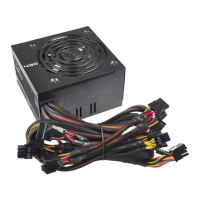
2.3 Power Supply Installation





 To Next Page