Startup & Shutdown
Procedure
Thermo Fisher Scientific Prima PRO & Sentinel PRO Mass Spectrometers User Guide 7-3
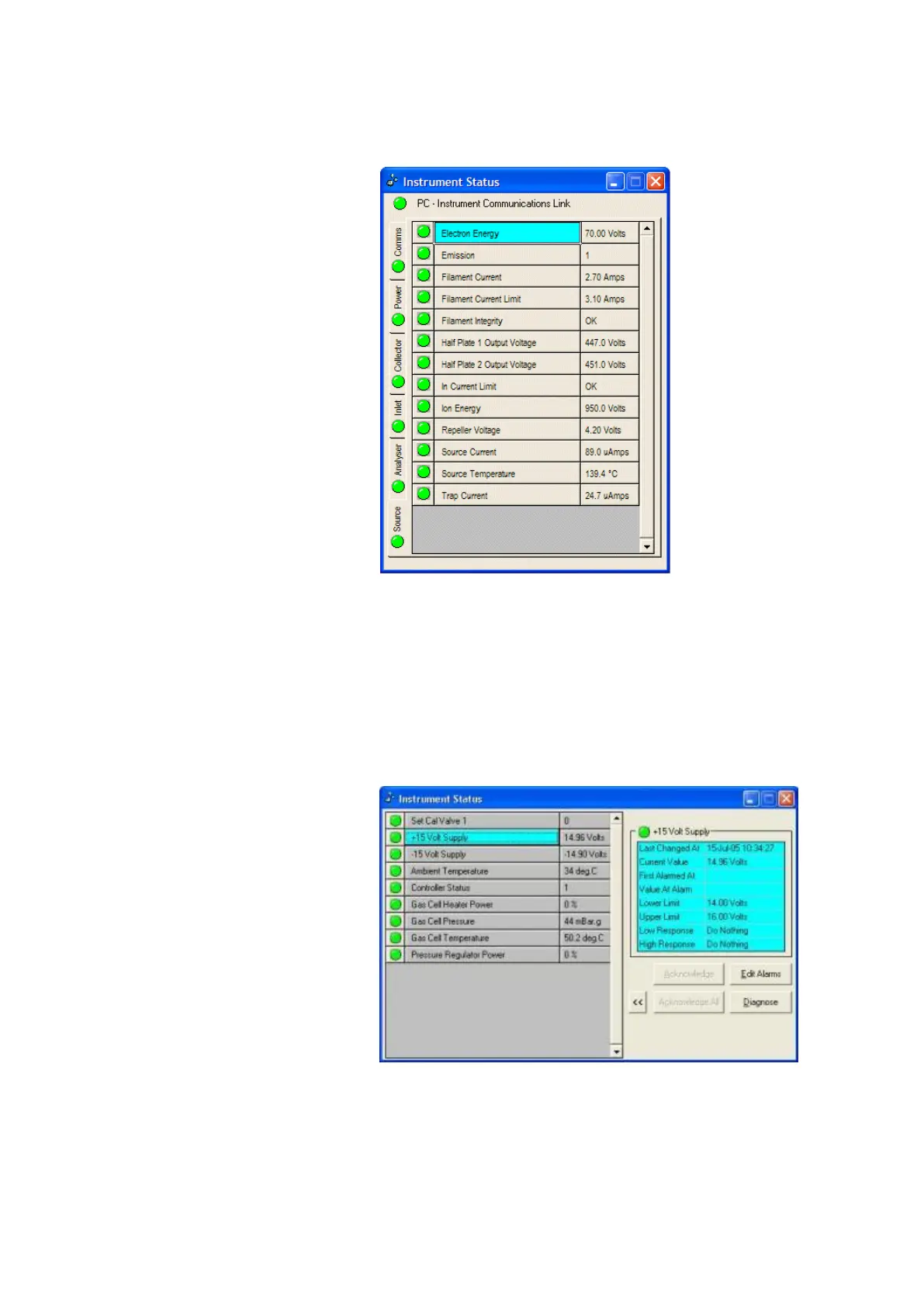
which shows the alarm status of each of the instrument
parameters.
Figure 7–2. Instrument Status window
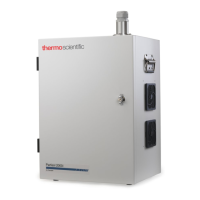
A click on a particular parameter status light will show the
current value, alarm limits, and alarm acknowledgement button
(Figure 7–3). If all parameters are within limits but the status
light is red, clicking on the Acknowledge All button will change
the instrument status light to green.
Wait until all parameters are within limits (the status light is
green), before starting scheduled analysis.
Figure 7–3. Parameter status window







 To Next Page