Status & Tuning Parameters
Checking Mass Alignment
8-12 Prima PRO & Sentinel PRO Mass Spectrometers User Guide Thermo Fisher Scientific
If configured (within GasWorks Hardware Configuration), the User
I/O 3 Comms Quiet status is checking for a break in communications
between the user I/O card I/O 3 port and a user device.
The VGiNet status checks for breaks in the internal VGiNet
communications.
Use this procedure to check that peaks are being produced and that
they are correctly identified and aligned with the mass scale.
e.g. Mass 28 for N
2
in Air
On the GasWorks toolbar click the icon to open Control Centre.
If the system has not been tuned previously, use the Peak Shape and
Sensitivity tabs to do so. Type in the required value for each
parameter and press Enter to set the parameters as follows:
Trap current = 20
Quad lens = 0
Resolution DAC = 0
Repeller Voltage = 5
Focus Voltage = 450
Deflection Voltage: = 0
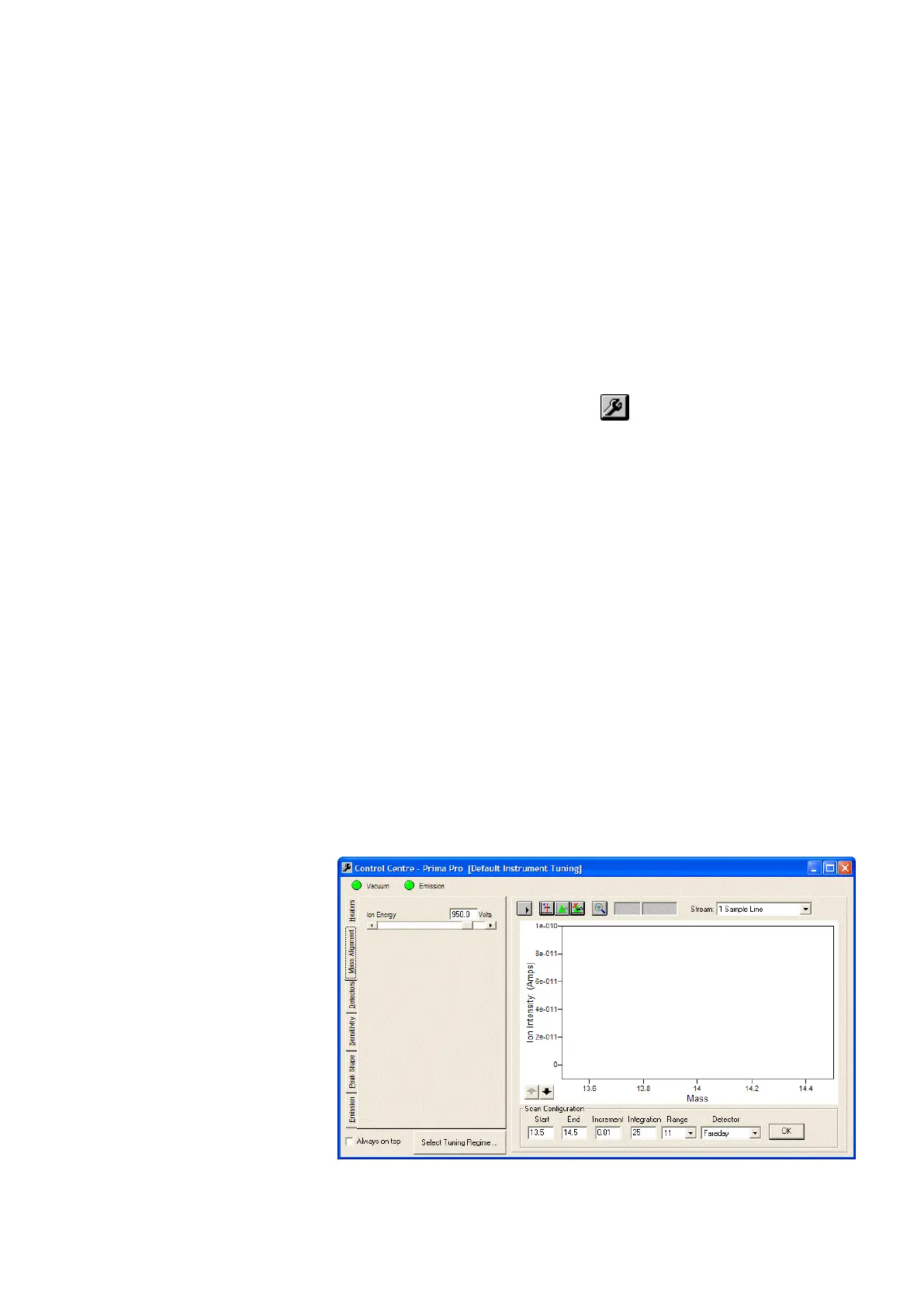
Select Mass Alignment. Set the Start and End masses (typically
beginning with start mass 0, end mass 50), mass Increment (e.g.
0.03), Integration (e.g. 10), measurement Range (e.g. 10), and inlet
Stream (e.g. air or N
2
) parameters. Click on the Start Scan button.
Check that peaks are produced and that they are correctly aligned
with the mass scale markers.
Figure 8–2. Mass Alignment tab







 To Next Page