4. Press and hold the ON/OFF button on the back of the
remote sensor for 2 seconds to turn on the remote sensor.
If done correctly, the temperature/humidity of the remote
sensor will appear on the base station.
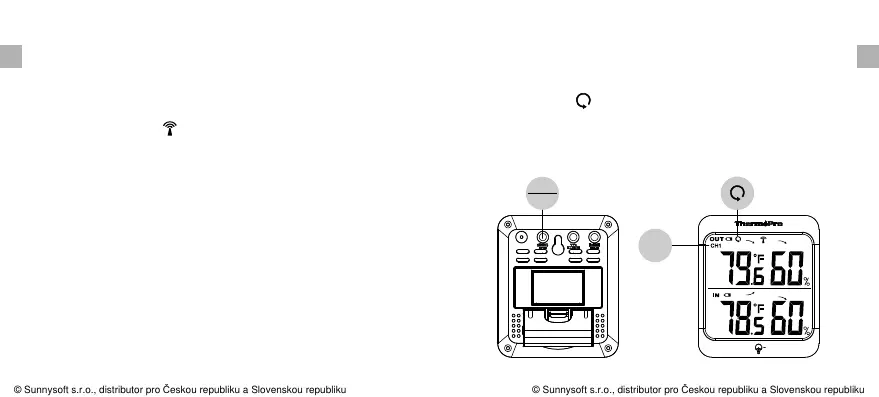
5. If the RF indicator no longer flashes and the remote
sensor temperature is not displayed on the base station.
Press and hold the CHANNEL/SYNC button on the back of
the base station for 3-4 seconds until the RF indicator
flashes again to set it back in synchronization mode;
6. If you have additional remote sensors, repeat the above
steps to synchronize the additional remote sensors.
Please note the additional sensors should be set to a
different channel.
remote channel you want displayed permanently on the
base station. If you wish to cycle through all the channels,
press the CHANNEL/SYNC button until you observe a
circular arrow on the base station LCD display, the unit
will auto-scroll, changing from channel to channel every 5
seconds. Press CHANNEL button until you observe the
circular arrow disappear, the unit will stop cycling.
EN EN
-10- -11-
7. If you have registered more than one sensor, press the
CHANNEL/SYNC button on the base station to select the
CH1
CHAN EL
SYNC
© Sunnysoft s.r.o., distributor pro Českou republiku a Slovenskou republiku
© Sunnysoft s.r.o., distributor pro Českou republiku a Slovenskou republiku


 To Next Page