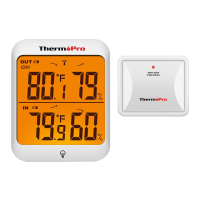
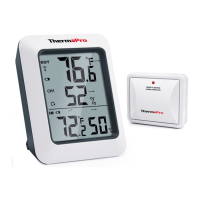
2. Once the batteries are installed into the base station, the RF indicator will flash for 3 minutes, indicating that
the base station is in synchronization mode and is waiting for remote sensors to be registered.
3. Set the CHANNEL selector on the back of the remote sensor unit to position 1 or 2 or 3. The unit is preset on
Channel 1 and you can always leave it unchanged unless you have purchased more than 1 remote sensor.
4. Press and hold the ON/OFF button on the back of the remote sensor for 2 seconds to turn on the remote
sensor. If done correctly, the temperature/humidity of the remote sensor will appear on the base station.
5. IF the RF indicator no longer flashes and the remote sensor temperature is not displayed on the base
station. Press and hold the CHANNEL/SYNC button on the back of the base station for 3-4 seconds until the
RF indicator flashes again to set it back in synchronization mode;
6. If you have additional remote sensors, repeat the above steps to synchronize the additional remote sensors.
Please note the additional sensors should be set to a different channel.
7. If you have registered more than one sensor, press the CHANNEL/SYNC button on the base station to select
the remote channel you want to be displayed permanently on the base station. If you wish to cycle through all
the channels, press the CHANNEL/SYNC button until you observe a circular arrow on the base station LCD
display, the unit will auto-scroll, changing from channel to channel every 5 seconds. Press the CHANNEL button
until you observe the circular arrow disappear, the unit will stop cycling.
Low Battery Warning
If the battery power (base station or remote sensor) is low, there will be a low battery icon showing on the base
station display.
If the low battery icon for the base station appears, please replace the batteries with new batteries.
If the low battery icon for the remote sensor appears, please charge the remote sensor as soon as you can.
Installing Batteries
1. Base station: open the battery compartment of the base station and insert two “AAA” batteries with the correct
polarity.
2. Remote sensor: A built-in rechargeable lithium battery is installed in the remote sensor. Although there could be
some power in the rechargeable battery before the unit leaves the manufacturing facility, it is always good to
fully recharge the remote sensor before using by following the steps below:
Note, the package does not INCLUDE a wall adapter. Simply use any cellphone wall charger with a USB socket to
charge the battery.
a. Connect the charger to the charging socket located on the back of the remote sensor;
b. Plug the charger into a standard AC outlet;
c. The red light on the remote sensor will light up;
d. Charge it for at least 4 hours until the light changes from red to green which indicates charging is complete.



 To Next Page