22
VLC-3 rev.04
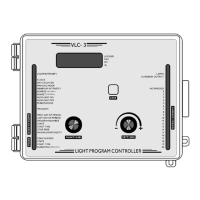
VLC-3
9.1 SETTING THE NO PERIOD MODE
Turn the function selector until the PERIOD MODE pilot light turns
on. The current state of the controller is displayed. When OFF is
displayed, the controller does not use periods (the NO PERIOD pilot
light is turned on). When ON is displayed, the controller is in period
mode.
Using the adjustment knob, adjust the controller state to OFF.
9.1.1 Dusk-to-Dawn Programs
Turn the function selector until the PROGRAM pilot light turns on.
The message “PUSH STEP TO ENTR PROG” (PUSH STEP TO ENTER
PROGRAM) is displayed.
Press the push-button. The PROGRAM pilot light turns off and the
PROGRAM NUMBER pilot light turns on.
Program number: Programs are numbered from 1 to 12 for each period.
The display shows dd . 1 where 1 (flashing) is the dusk-to-dawn program
number. If no dusk-to-dawn programs have yet been entered in the
controller, the user must start by entering program 1. Otherwise, the
user can select the program using the adjustment knob. If you turn the
adjustment knob past the currently defined dusk-to-dawn programs, the
program will jump to the light peaks (i.e. PE . 1 etc.). You can backtrack
by turning the knob in the opposite direction.
67(3
Press the push-button to step to the program state.
Program state: The program state is used to signal the end of the dusk-
to-dawn programs. As long as the program state is ON, the user can
continue adding programs. When a dusk-to-dawn program is turned off,
the user exits the dusk-to-dawn program cycle and enters the light peak
cycle. The current state of the dusk-to-dawn program flashes on the
display. Use the adjustment knob to set the state of the program.


 To Next Page
 Loading...